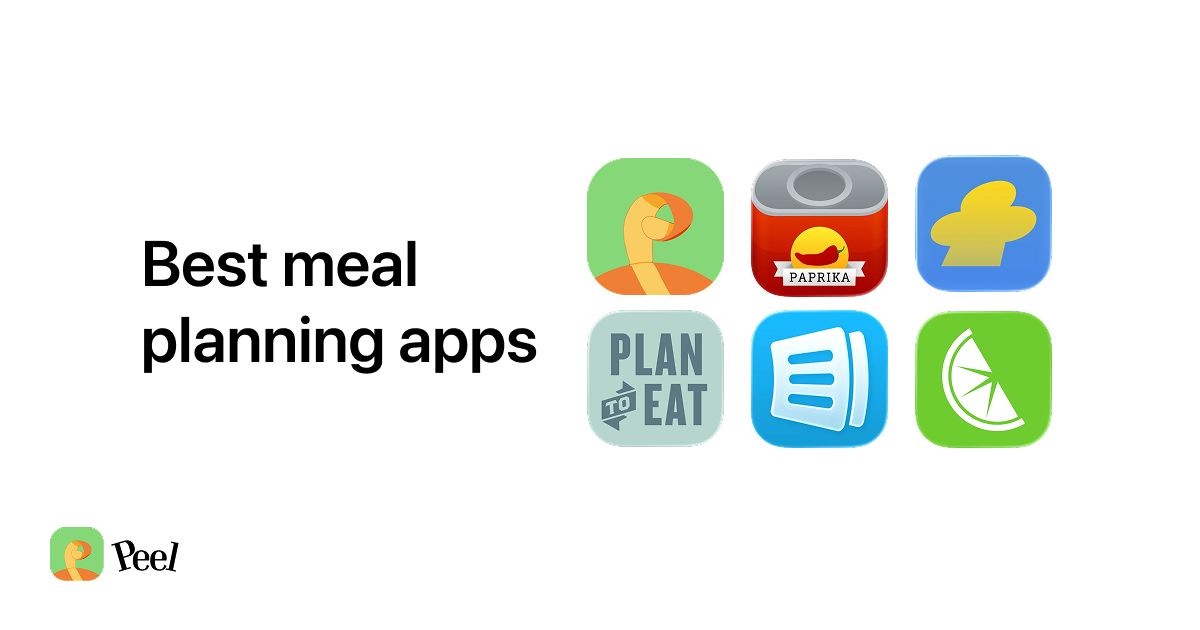
The best meal planning app for iPhone in 2026 is Peel if you want to collect recipes from TikTok, Instagram, or YouTube and plan from a flexible meal pool. Free accounts get weekly-refreshing import credits, meal planning, and a grocery list generated from the recipes in your pool. Not from a preset library. From your own recipes. And when a week works, you can save that plan and reuse it weeks later as a starting point. Other apps also offer free social imports, so the planning workflow matters as much as the allowance.
Most people hit the same wall: you spend 20 minutes figuring out what to cook this week, then you have to manually type every ingredient into a grocery list app. "I hate that I have to manually add everything to my grocery list after I figure out what I'm cooking. Why can't the app just know?" That's from a Reddit cooking thread, and it's the exact problem Peel was built to solve. Save a recipe, add it to your meal pool, and the grocery list writes itself.
Peel's free tier covers unlimited recipe storage, unlimited web imports, and weekly-refreshing social import credits. Real free tier after the trial, no lock-out. Download Peel free on the App Store →
What to Look for in a Meal Planning App (Free Tier, Grocery List, Recipe Import)
Most meal planning app comparisons rank apps on a feature scorecard. That format skips the variable that actually determines fit. Here are the four things that matter:
Grocery list auto-generation from your own recipes. Check whether an app can turn recipes you save into a shopping list, not just plan meals from a built-in catalog. Mealime supports web imports too. For recipes found on TikTok, Instagram, or YouTube, look specifically for video recipe extraction before comparing the planning tools.
Recipe import from social media. If you discover recipes on TikTok, Instagram, or YouTube, you need an app that extracts the actual recipe from the video, not just saves a link. Peel, ReciMe, and Flavorish do this. Most traditional meal planning apps do not.
Free tier that covers the basics. Many apps offer a free tier that is really a trial, when it ends, you are locked out of everything you saved. Peel's free tier is genuinely functional and permanent: unlimited web imports, meal planning, grocery list generation, and weekly-refreshing social import credits (new in version 2.1.0, June 2026).
Platform. Peel is iOS only. If your household also uses Android or a browser, check those requirements separately. Mealime's platform support does not make it a long-term option now that it is closing; its status is explained below.
Peel: Best Free Meal Planning App for Saving Your Own Recipes (iPhone Only)
I built Peel because I wanted an affordable place where my wife and I could collect recipes, plan meals, and shop together. Not a one-time meal plan, but a kitchen we could keep building. That is the workflow I care about: bring recipes from different sources into one place, then use them to decide what to cook.
Peel's core workflow: find a recipe on TikTok, tap Share, select Peel. The app extracts the actual recipe, ingredients with quantities, step-by-step instructions, serving size. That recipe flows into your recipe box, and when you add it to your meal pool, every ingredient appears on your grocery list automatically. No manual typing.
Three features are worth considering when you choose a meal planning app:
1. Free accounts get weekly-refreshing social import credits. Peel's free accounts get import credits that refresh every week, while Premium is the unlimited tier. That is a useful free feature, not an exclusive one: ReciMe's free plan includes five recipe imports per week, plus meal planning and grocery lists. Compare how each app fits the way you collect and cook recipes.
2. Send recipes and meal plans to friends. In Peel, you can send a recipe or meal plan to a connection, and save the ones they send you. A free account is required for sharing. This is separate from the Premium shared kitchen, where household members work from the same recipes, meal pool, and grocery list.
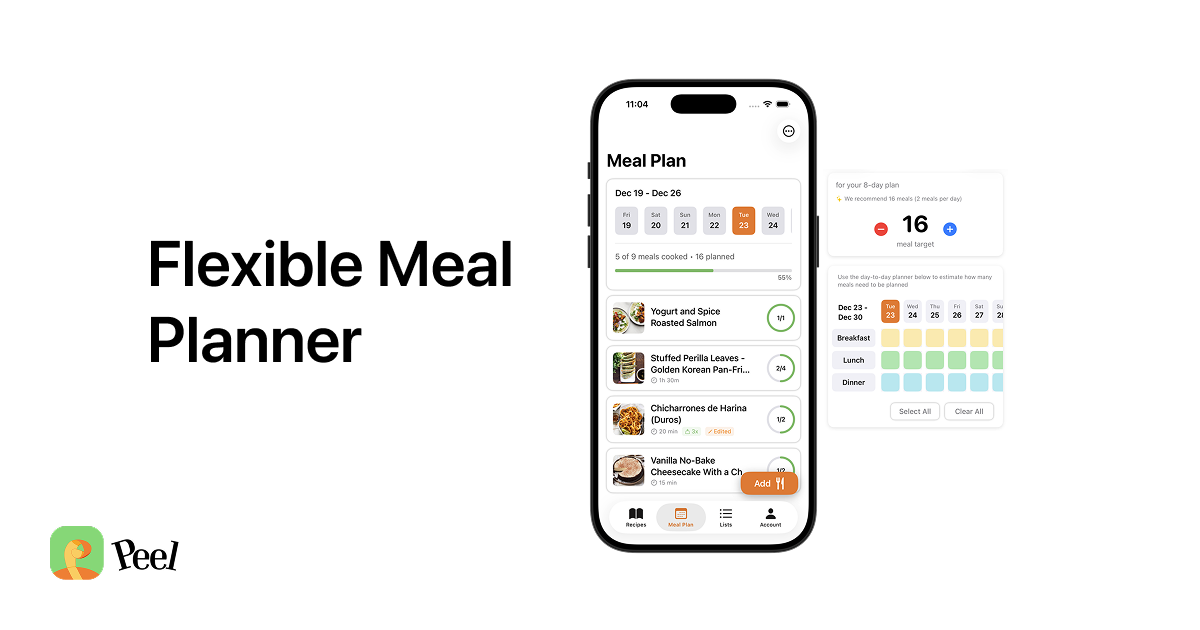
3. Flexible meal pool, not a rigid calendar. A day-by-day plan might assign Monday to tacos and Tuesday to salmon. That works until Tuesday comes around and you don't feel like salmon. Peel uses a pool: you pick what you want to make this week, shop for all of it, and then decide each evening what sounds good. Mealime also lets you choose a group of meals, and AnyList Complete's Queue lets you collect recipes and add their ingredients to a shopping list without assigning dates. Flexible planning alone is not a reason to switch.
I used to plan Monday through Sunday and feel good about it. Then a random event would come up Thursday night, or we'd go out unexpectedly on Saturday, and the whole plan would fall apart. It didn't just feel inconvenient. It felt like failure. So I built a pool instead.
Free tier includes:
- Unlimited recipe storage
- Unlimited web imports from any recipe website
- Weekly-refreshing social import credits (TikTok, Instagram, YouTube)
- Flexible meal pool planning
- Automatic grocery list generation from your meal pool
- Send recipes and meal plans to connections (requires free account)
Premium ($2.99/month or $29.99/year) adds:
- Unlimited TikTok, Instagram, and YouTube imports
- Paste and Parse: paste any recipe text and Peel extracts ingredients and steps
- Partner kitchen: one other person shares your live kitchen with the same recipes, meal pool, and grocery list in real time. One subscription covers both partners.
Peel is iOS only. No Android app, no web version. The app does not include nutritional tracking, calorie counting, or a built-in recipe library to browse.
Peel is designed to be the gathering place, not a source of recipes itself. The one kitchen where everything from all your sources lives together. Most people already have sources they love, what they need is a single place to collect from all of them. And when I designed the partner kitchen feature, I made one subscription cover both people. It would be like charging two people to use the same fridge.
Download Peel free on the App Store → Unlimited recipes, meal planning, and grocery list generation. Real free tier after the trial, no lock-out.
For a direct comparison between Peel and its closest pricing alternative, see Best ReciMe Alternative for iPhone in 2026. For how Peel stacks up against Paprika as a recipe manager, Peel vs. Paprika covers that directly.
The step-by-step platform guides live in the social recipe saving section of this blog. The complete guide to saving recipes from TikTok, Instagram, and social media covers every platform from import to grocery list.
How to Build a Flexible Week in Peel
The problem I wanted to solve was the feeling that one changed dinner had ruined the plan. A pool leaves room for the week to change. You still choose recipes and shop for them, but you do not have to decide on Sunday what you will want every night.
Start with the meals you actually expect to cook. Leave room for leftovers, plans with friends, and nights when you will eat out. Pick a manageable group of saved recipes rather than filling every possible breakfast, lunch, and dinner slot.
Add those recipes to a meal plan, then turn the plan into a shopping list that combines quantities and organizes ingredients by category. Check what you already have before shopping. Once the groceries are home, choose which meal to cook when you are ready rather than treating a calendar slot as a commitment.
When a plan works, save it as a starting point. Peel lets you save favorite meal plans as templates and reuse them. You might keep a short plan for busy weeks or a group of recipes that use some of the same ingredients. Adjust the recipes to fit the next week instead of rebuilding the whole plan.
Start with a few recipes you already know you will cook. There is no required collection size before making a first plan. Add more as you find useful recipes, and keep the plans you actually want to repeat.
Peel isn't for everyone. If you want strict calorie or macro tracking, Peel isn't that app; it doesn't count macros. What it's for is simpler: people who want to cook more but find it hard because life gets messy. If that's you, the pool and the saved plans are going to feel like a relief.
Download Peel free and build your first meal pool → Import a few recipes, run the number-of-meals calculator, and save the plan you like as a base you can reuse. Real free tier after the trial, no lock-out.
Plan to Eat: Best for Structured Weekly Planning With Your Own Recipe Collection
Plan to Eat ($49/year, no free tier, 14-day free trial with no card required) is the strongest cross-platform option for people who cook from websites and recipe blogs. The web clipper is excellent: paste a URL and the recipe imports cleanly with ingredients and steps. Calendar planning is drag-and-drop. The app works on iOS, Android, and browser, which matters for households using different devices.
Plan to Eat advertises automatic grocery list generation and delivers on it, but only from recipes you've imported into their system. If your recipes are in Peel, you need Peel's grocery list. If your recipes are in Plan to Eat, Plan to Eat's grocery list. The grocery list only knows what the app knows.
Trade-offs: no free tier after the trial, no social video import from TikTok or Instagram, and calendar-based planning that can feel constraining when your week changes. The right app for structured planners who primarily cook from websites and don't need social import.
Mealime: Curated Recipes and Grocery Lists, With a Shutdown Ahead
Mealime combines a curated recipe catalog, dietary preferences, and a grocery list built from the meals you choose. Its meal-planning instructions show a choose-meals-then-build-list workflow, not a requirement to assign dinner to a particular day.
Mealime also supports importing recipes from websites. The distinction is not that Mealime rejects your recipes. Its catalog gives people a place to discover dinner ideas before making a plan.
Mealime will close on October 21, 2026. Its official announcement says Pro recipes and features are now free, and points users to Meals Hub in Albertsons Companies apps. Meals Hub retains Mealime's recipes and is free to use.
If you are choosing a replacement, our Mealime alternatives comparison separates catalog-led options from apps for collecting your own recipes. Peel fits the latter: group saved recipes into a reusable meal plan, then generate one grocery list with combined quantities. That preserves the planning routine without claiming to replace Mealime's recipe catalog.
Ollie: Best AI Meal Planning App for Families Who Want Auto-Generated Plans
Ollie takes a different approach: AI generates your weekly meal plan. You tell Ollie your dietary preferences, household size, and any restrictions, and it produces a plan with a grocery list attached.
Ollie makes sense for families who want meal planning to be as low-effort as possible and don't have strong opinions about what they eat, as long as it fits their dietary profile. It is less suited for anyone with specific recipes they want to cook.
The distinction to consider is how you want to choose dinner: browse recipes, organize recipes you already saved, or ask for an AI-generated plan. If you want an AI to handle that decision, Ollie is worth considering.
Best Free Meal Planning Apps Quick Comparison: Peel vs Plan to Eat vs Mealime vs Ollie
| App | Grocery List From Your Recipes | Social Import (Free) | Free Tier | iOS / Android |
|---|---|---|---|---|
| Peel | Yes (auto-generates from meal pool) | Weekly-refreshing credits | Yes (web + weekly social credits) | iOS only |
| Plan to Eat | Yes (from imported recipes) | No | No (14-day trial) | iOS + Android + Web |
| Mealime | Catalog and web-imported recipes | Web import documented; video extraction not verified | Pro features free until October 21 closure | iOS + Android |
| Ollie | From AI-generated plans | No | Limited | iOS + Android |
| ReciMe | Yes (from saved recipes) | 5 recipe imports per week | Meal planning, grocery lists, and weekly imports | iOS + Android |
| Paprika | Yes (from imported recipes) | No | No | iOS + Android + Mac |
The key column here is "Grocery List From Your Recipes." Website importing and video extraction are different capabilities: Mealime supports website imports as well as its catalog, while Peel can extract recipes from social videos. Pick the recipe sources you need first, then check how the app turns those recipes into a plan and shopping list.
For a full ranking of apps that cost nothing to start, Best Free Meal Planning Apps in 2026 covers the complete breakdown.
Which Meal Planning App Should You Download? A Decision Guide by Use Case
You save recipes from TikTok, Instagram, or YouTube. Try Peel if you want those recipes in a flexible meal pool with an automatic grocery list. Its free tier includes weekly-refreshing import credits. ReciMe also has a weekly free import allowance, so try the planning workflow before deciding which app to keep.
You cook from websites, food blogs, or cookbooks, and need Android or web access. Use Plan to Eat or Paprika. Plan to Eat handles household planning and calendar scheduling better; Paprika handles recipe collection and pantry management better.
You want help finding dinner ideas. Meals Hub is Mealime's official successor for its recipe catalog. Ollie takes an AI-generated approach. Choose based on whether you want to browse recipes or start with a generated plan.
You want shared grocery lists and tools for planning ahead. AnyList is not just a list app. Its paid AnyList Complete meal-planning tools include a dateless Queue, Ideas drawn from your recipe collection, and reusable Templates. You can add ingredients from queued recipes to a shopping list without putting the meals on a calendar. These planning features require Complete; they are not part of the free tier.
You use an Android device and save from social media. Peel is iOS only, which is a real constraint. ReciMe supports Android and social imports, including five recipe imports per week on its free plan. Check its current paid options if you need a higher allowance.
If you are still undecided, Peel's free tier costs nothing and never locks out your recipes. Save a few recipes from websites, build a meal pool, run the grocery list, and see whether the workflow fits before deciding on Premium. The Flexible Meal Planning Method explains the pool approach in detail if you want to understand it before downloading.
Frequently Asked Questions About Meal Planning Apps
What is the best free meal planning app for iPhone?
Peel is the best free meal planning app for iPhone in 2026 if you want to collect your own recipes. Its free tier includes unlimited recipe storage, unlimited web imports, weekly-refreshing social import credits, flexible meal planning, and grocery list generation. For Mealime's current availability, see its shutdown notice in the comparison above.
Can meal planning apps automatically generate a grocery list from my own recipes?
Yes. Peel, Plan to Eat, and Paprika generate grocery lists from recipes you import into the app. Mealime also supports web recipe imports, so it is not limited to its built-in catalog. For recipes found on TikTok, Instagram, or YouTube, Peel offers weekly-refreshing import credits on its free tier. Group the saved recipes into a meal plan, then generate one grocery list.
What is the difference between a meal planning app and a recipe planner app?
No functional difference. "Menu planning app," "recipe planner app," and "meal planning app" all describe the same category: an app that helps you save recipes, plan what to cook, and generate a grocery list. The different terms reflect how people search, not different types of products.
Can free meal planning apps save recipes from TikTok?
Yes. Peel's free tier includes weekly-refreshing import credits for TikTok, Instagram, and YouTube; Premium offers unlimited imports. ReciMe also supports social imports and currently allows five recipe imports per week for free, with meal planning and grocery lists available without a subscription. Compare both the import allowance and the planning workflow before choosing.
Which meal planning app works on both iPhone and Android?
Plan to Eat, AnyList, and Paprika have iOS and Android apps. Peel is currently iOS only. Mealime also supports both platforms, but it is being discontinued, so check its shutdown notice before choosing it.
Is Peel free?
Yes. Peel's free tier includes unlimited recipe storage, unlimited web imports from any recipe website, weekly-refreshing social import credits for TikTok, Instagram, and YouTube, flexible meal pool planning, and automatic grocery list generation. Real free tier after the trial, no lock-out. For unlimited social imports and partner kitchen sharing, Peel Premium is $2.99/month or $29.99/year.
More Meal Planning Guides
- The Flexible Meal Planning Method
- Best Free Meal Planning Apps in 2026
- Meal Planning for Couples: How to Make It Work
- Meal Planning and Decision Fatigue
- Why Meal Planning Doesn't Work (And What Does)
- Meal Planning for One
- Meal Prep vs. Meal Planning: What's the Difference?
- Meal Planning with ADHD
- AI Meal Planning Apps: An Honest Take
- Meal Planning for Beginners: 5 Steps That Actually Work
- Meal Planning on a Grocery Budget: Why Free Beats Paying $49 a Year
- Free Weekly Meal Planner Printable + Grocery List
- Best Free Meal Prep App for iPhone 2026: 4 Tested
- Best Batch Cooking App for iPhone 2026: 4 Tested
- Sunday Meal Prep App 2026: 4 Tested for Batch Cooks
- 6 AI Meal Planning Apps for iPhone Ranked (2026)
- Why Meal Planners Need a Different Grocery List App
- Free Meal Planning App No Subscription: 3 Real Picks
- Best Meal Planning App With Automatic Grocery List (2026)
- 4 Best Meal Planning Apps for Couples in 2026 (Free)
- Best Meal Plan Template App for iPhone in 2026 (Reusable Plans, Weekly Generator)
- Best Meal Planning App With iPhone Home Screen Widget in 2026
- The Best iPad Meal Planning Apps in 2026 (Which Ones Are Actually iPad-Native)
- The Best Meal Planning App That Actually Suggests Meals (2026)
- Best Weekly Menu Planner App for iPhone (2026)
- Cozi Alternative for iPhone (2026): Peel vs Cozi for Meal Planning
- Prepear Alternative for iPhone (2026): Peel vs Prepear
- ChatGPT vs Gemini vs Grok for Meal Planning: Which AI Actually Works? (2026)
- Factor Is Shutting Down: Start Cooking at Home (2026)
- Free Flexible Meal Planning Template (Printable PDF)
- How to Meal Plan When Your Schedule Changes Every Week
- Meal Planning App vs Notion Template (2026)
- How to Meal Plan When You Eat Out a Lot (2026)
- Meal Planning for a Family of 4 That Works (2026)
- Meal Planning for College Students: The Lazy-Proof Guide
- Meal Planning for People Who Hate Meal Planning
- Meal Planning for Picky Eaters (2026)
- Does Meal Planning Actually Reduce Food Waste? (2026 EPA Data + App Guide)
- Meal Planning for Shift Workers: A System That Fits (2026)
- 40+ Meal Planning Statistics in 2026
- Reverse Meal Planning From Your Recipe Collection (2026)
- Eat This Much Alternative for iPhone: Flexible Planning Without the Algorithm
- Dinner Party Menu Planner: 4 Dishes, One List
Originally published February 2026. Updated September 16, 2026.