Meal planning for beginners doesn't have to start with a blank calendar and a recipe search. If you're new to meal planning in 2026, you probably already have the hardest part covered: a phone full of saved recipes from TikTok, Instagram bookmarks, and browser tabs you meant to cook months ago. The real beginner step isn't choosing recipes. It's building a system to actually use the ones you already have.
Every other beginner guide starts from zero: "browse a recipe site, pick five meals, write a grocery list." That framework made sense before most of us spent an hour a week saving food videos we'd never cook. The starting point has changed. The guides haven't.
This one has. Here's a meal planning system that begins where most beginners actually are: scattered saves, no structure, and a genuine desire to cook more at home.
Peel is free to download. Real free tier after the trial — no lock-out. You can import your first recipe from TikTok or Instagram in under a minute.
Download Peel FreeiOS only. Android coming soon.
The Beginner Mistake Every Guide Misses (And the 2026 Fix)
Here's what surprised me when we started building Peel. The feedback we kept hearing from users wasn't "I don't know any recipes." It was "I have too many recipes saved and I never cook any of them."
Reddit threads about meal planning are full of this. One post on r/mealprep from this year put it well: keep your recipes simple and things you know you like. You need four dinners, two things that should be eaten fresh and two that will create leftovers for the next night. That's actually great advice. But it assumes you can quickly find four recipes you want to cook this week. For most beginners, that's the bottleneck.
The top results on Google for "meal planning for beginners" come from The Kitchn, Healthline, Workweek Lunch, and Brown University Health. All solid. All built on the same framework: define meal planning, pick a day to plan, browse a recipe site, write a grocery list. Workweek Lunch's guide is 2,888 words and very thorough. But it assumes you're starting from scratch on recipes. Zero of those guides address the person who has 200 TikTok bookmarks and no system.
That's where this guide is different. Step one isn't "choose recipes." It's "extract the recipes you already saved."
Step 1: Build Your Recipe Pool Before You Plan Anything
A recipe pool is a personal collection of meals you're genuinely excited to cook. It's not a meal plan. It has no days attached to it. It's just your library.
Before touching a calendar, you need at least 15 to 20 recipes in one place. That sounds like a lot but it's almost nothing if you've been saving content for a few months. The task is retrieval, not discovery.
Start with these sources:
- Your TikTok favorites. Go to your profile, tap Favorites, filter by food. You've probably saved 20 to 50 videos here without realizing it.
- Instagram saved posts. Check Collections if you organized saves into folders. Even if everything is in one pile, scroll through and note anything that looked cookable.
- Browser bookmarks. Search "recipe" in your bookmarks. These are often the most complete sources since they link to actual recipe pages.
- Screenshots. Check your camera roll for food photos. Many beginners screenshot recipes from Pinterest or story slides.
You don't need to cook any of these yet. You just need them in one accessible place. This is the foundation. Everything else builds on it.
Step 2: How to Save Recipes from TikTok, Instagram, and Websites in One Place
Gathering recipes manually is painful. Screenshots lose the ingredients. TikTok bookmarks are buried inside the app. Browser tabs close. After testing several approaches when we were building this feature, the iOS share sheet is the fastest path.
Here's how it works with Peel (iOS only):
Open the recipe video in TikTok or Instagram
Find any video you've bookmarked or saved.
Tap Share, then tap the Peel icon
Peel appears in your iOS share sheet after you install it.
Peel extracts the recipe: ingredients, steps, servings
It reads the video caption and linked recipe, pulling structured data not a screenshot.
The recipe lives in your library, ready to add to a meal plan
No manual typing. No lost tabs. The recipe is yours now.
For website recipes, the same process works. Open a recipe page in Safari, tap the Share button, select Peel. The ingredients extract automatically. We built Peel around the assumption that people find recipes everywhere but want to cook from one place. That's the entire product idea.
One honest note: social media imports (TikTok, Instagram, YouTube) are available on the free plan with a fixed allowance. Web imports from recipe sites are unlimited on the free tier. If you're going to do a big batch import of 20 saved TikTok videos, that's the kind of thing the free allowance covers well. Keep that in mind as you set up.
Step 3: Plan Your Week from Your Pool, Not a Blank Calendar
This is where beginners usually get stuck. "Okay, I have recipes. Now what?"
The traditional answer is: assign Monday through Sunday. That's the wrong answer for most people, and it's why most beginners abandon meal planning within two weeks.
The better answer: build a pool of 5 to 6 recipes for the week, then pick what to cook each evening based on your mood and energy. No rigid schedule. No guilt if you swap nights around.
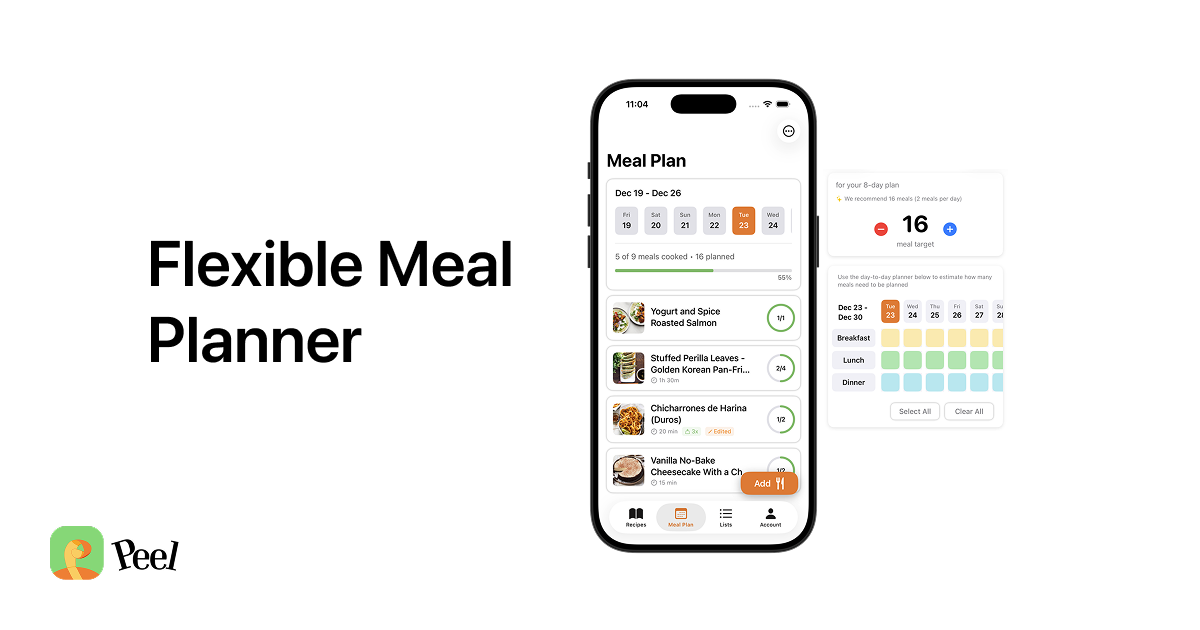
I've used Mealime, Plan to Eat, and several others. The thing that bothered me about every one of them was the locked calendar. Assign Wednesday to pasta and then life happens on Wednesday. The whole plan falls apart psychologically, even though the food is still in your fridge. The flexible meal planning approach sidesteps this entirely.
For your first week, keep it simple:
- 2 quick recipes you already know how to cook (under 30 minutes, familiar ingredients)
- 2 recipes from your saved collection that genuinely excite you
- 1 recipe that makes leftovers for the following night
Five dinners. That's your pool. You're not committing to a day for any of them. You're just committing to having good options ready.
Step 4: Generate Your Grocery List in One Tap
This is where the system pays off.
Once your pool is set, Peel generates a unified grocery list from all five recipes: ingredients combined, quantities merged, duplicates removed. That 3 cloves of garlic in the pasta and the 2 cloves in the stir fry become "5 cloves of garlic" on one list.
You shop once. For everything. No second trip mid-week because you forgot an ingredient for Thursday's recipe.
The grocery list is also the clearest signal that flexible planning is working. When you can add five recipes to a pool and tap one button to get a complete shopping list, meal planning stops feeling like an organizational project and starts feeling like something that saves time. That's the shift beginners need to experience to stick with it.
A note on perishables: think about freshness when you're building your pool. If one of your recipes uses fresh fish or delicate greens, plan to cook that one earlier in the week. Heartier proteins and shelf-stable ingredients can wait. This is a bit of light scheduling, but it's ingredient-driven, not calendar-driven. Completely different mental model.
Your First Week: A Simple Beginner Template
If you want a concrete starting point, here's the template we recommend to new Peel users:
Week 1 Beginner Pool
Slot 1: A 20-minute meal you already know
The "I could make this half asleep" recipe. Pasta, eggs, stir fry basics.
Slot 2: A second familiar fallback
Your other "no-brainer" dinner. Tacos, a sheet pan chicken, whatever you know cold.
Slot 3: A saved recipe you've been meaning to try
From TikTok, Instagram, or a bookmark. Pick one that looked achievable, not just impressive.
Slot 4: A second saved recipe
Ideally something different in protein or style from Slot 3 so you have variety.
Slot 5: A recipe that makes leftovers
Chili, soup, a grain bowl base, anything that scales to two meals. This is free dinner insurance.
Cook in any order. Pick based on mood. Shop for all five at once.
Notice what's not in this template: breakfast, lunch, snacks. Those are optional additions once the dinner habit is solid. Adding too much too soon is why beginners quit. Get dinners under control first.
Also notice there's no day assignment. Monday through Sunday isn't the unit. The week is the unit. This is the core idea behind planning without a rigid schedule: the structure comes from having good options, not from having a locked timetable.
One more thing: meal planning app data tells us that beginners who start with fewer recipes cook more of them. Five to six is the right number. More than eight and the grocery list gets overwhelming, ingredients go to waste, and the whole thing collapses. Start small. Add complexity later.
The Most Common Beginner Questions Answered
How many recipes should I add to my first pool?
Do I need to assign recipes to specific days?
What if I miss a day of cooking?
Can I save TikTok and Instagram recipes directly into a meal plan?
How long does it take to set up a first meal plan?
Is Peel free to use?
Where to Go From Here
One week of this system is enough to know if it works for you. By the end of week one, you'll have a sense of which recipes in your pool you actually cooked, which ones got skipped, and what your real cooking rhythm looks like. That data is more valuable than any meal planning template.
Week two, you adjust. Add more of what got cooked. Drop or replace what didn't. Build the pool around your real patterns, not an idealized version of them.
If you have a partner, the meal planning statistics on sharing behavior are striking: couples who plan together cook more consistently than solo planners. Meal planning for couples works especially well with a shared pool because both partners contribute recipes and both see the same grocery list. No more "what do you want for dinner" back-and-forth.
We built Peel because after testing every app on the market, none of them started from where people actually were in 2026: recipes saved all over their phone, no system to use them. Paprika launched in 2011 and has more than 14,000 App Store ratings. Plan to Eat has been around since 2009. Both are excellent for people who browse dedicated recipe sites. Neither is built around pulling your social media saves into a workable plan.
That's the gap Peel fills. Best for iPhone users who cook from social media saves, not a recipe database.
Last updated: May 2026