The best meal prep app for iPhone depends on the job you need it to do. Peel is best for planning from recipes you already save, MealPrepPro is aimed at macro-led plans, and MealBoard suits calendar-first planners with pantry tracking. Mealime remains in this comparison for existing users, but it has announced an October 21, 2026 shutdown. For a practical cook-everything-in-one-session process, use our separate batch cooking workflow for iPhone.
Peel is free on iPhone. Import your own recipes, plan with a flexible meal pool, and generate your grocery list.
Download Peel FreeiOS only. The core planning workflow remains available on the free tier.
What Makes a Meal Prep App Worth Downloading vs. Skipping
Start with your planning style. Some meal prep apps prescribe recipes and nutrition targets. Others organize recipes you already own, generate shopping lists, or place meals on a calendar. The distinction between meal prep and meal planning helps, but the most important question is whether you want the app to choose meals for you or organize choices you have already made.
Four apps survive that filter. Here is how they compare. See the full meal planning app comparison for the broader picture.
| Feature | Peel | MealPrepPro | Mealime | MealBoard |
|---|---|---|---|---|
| Price | Free (core features) | Subscription | Free tier + paid | Free (limited) + paid |
| Planning style | Flexible meal pool | Weekly plan, day-by-day | Weekly calendar | Calendar-based |
| Auto grocery list | Yes, free, quantities merged | Yes, subscription | Yes, limited free | Yes |
| Bring your own recipes | Yes, unlimited web imports | Custom recipes supported | Built-in recipe catalog | Yes, manual, web, scan, and social |
| TikTok/Instagram import | Yes (weekly free credits) | Not listed | No | Yes |
| Macro/calorie tracking | No | Yes (core feature) | Basic | Not emphasized |
| Service status | Active | Active | Service ends Oct. 21, 2026 | Active |
Peel: Best Free Meal Prep App iPhone Users Actually Download in 2026
I built Peel for people who already have recipes scattered across food blogs, social media, screenshots, and family notes. The app does not prescribe a menu. It gives those recipes one home and lets you choose a flexible pool for the week.
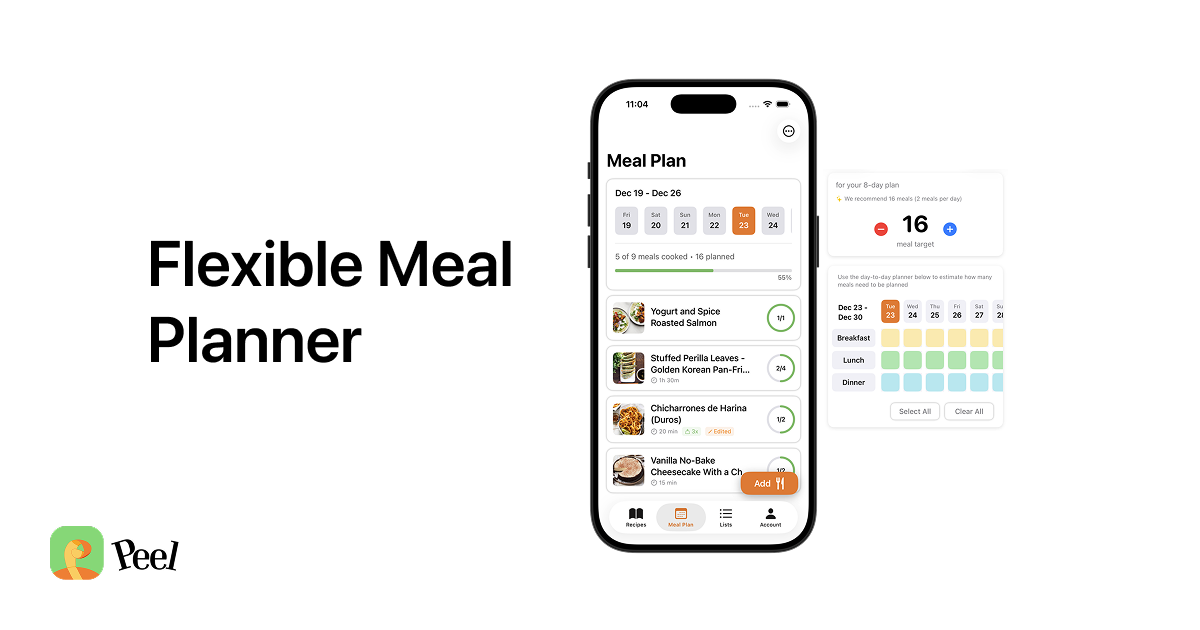
The key feature is the meal pool. Add the recipes you want to consider for the week, then generate the grocery list from that plan. Nothing has to be assigned to Monday or Tuesday, so the plan can change without rebuilding a calendar.
Peel has no built-in recipe library. That is a deliberate choice. It is built to work with your collection rather than replace it with someone else's. Unlimited web imports are included on the free tier. TikTok, Instagram, and YouTube imports use credits that refresh every week.
What Peel does not do: macro tracking, calorie goals, or structured fitness plans. If nutrition targets drive your choice, MealPrepPro is the more relevant comparison below.
MealPrepPro: Best for Macro-Tracked Meal Prep
MealPrepPro is a different product for a different audience. It is built around fitness goals: calorie targets, macronutrient breakdowns, and portion sizing for specific goals. Its custom-macros documentation specifically frames the feature for people working with personal trainers or sports nutritionists.
After testing MealPrepPro during competitive research, the thing that stood out was how much of the interface is built around the numbers. Every recipe shows protein, carbs, and fat per serving, and the weekly plan is organized around hitting targets. For a gym-focused user tracking macros, that structure is useful. For someone organizing favorite recipes without nutrition goals, it adds information they do not need.
Mealime: Service Shuts Down October 21, 2026
Mealime's official website now states that the service will shut down on October 21, 2026. Its recipe catalog, personalized weekly planning, and automatic grocery list may remain usable until then, but it is not a sensible choice for a new long-term setup. Existing users should move or export anything they need before the shutdown.
MealBoard: Best for Structured Weekly Planners
MealBoard is built for detailed weekly planning, pantry inventory, and grocery list generation. The interface is calendar-first: you assign recipes to days and meal types, then generate a list from the plan. Its current App Store listing also describes imports from websites, cookbooks, and social media apps. Choose it when a structured calendar and inventory tools matter more than a flexible meal pool.
How to Choose the Right Meal Prep App for Your Style
- Choose Peel if you bring your own recipes and want flexible planning plus grocery list generation.
- Choose MealPrepPro if macro and calorie targets should shape the recipes and portions.
- Do not start a new Mealime setup. The company has announced that the service ends October 21, 2026.
- Choose MealBoard if a detailed calendar and pantry-oriented organization matter more than flexibility.
If you have already chosen your app and need to organize one large Sunday cooking session, continue with the batch cooking workflow guide. That page covers recipe selection, shared ingredients, shopping, cooking order, and eating from the finished meal pool. This page stays focused on choosing the app itself.
Free vs. Paid: What Each App Gives You Before the Paywall
The table above covers the feature comparison. Peel includes recipe storage, meal-pool planning, grocery list generation, and unlimited web imports on the free tier. MealPrepPro uses a subscription model. Mealime and MealBoard provide free access with limitations that differ by feature.
If your goal is to organize recipes you have saved online, Peel keeps that core workflow on the free tier.
If planning from your own saved recipes is what brought you here, Peel is free to try.
Frequently Asked Questions About Meal Prep Apps for iPhone
Is there a completely free meal prep app for iPhone?
What is the difference between meal prep and meal planning?
How does Peel compare to MealPrepPro for iPhone?
Is Mealime still worth using in 2026?
Can I import TikTok recipes into a meal prep app?
Does Peel work with my own meal prep recipes?
What iPhone meal prep apps are actually free in 2026?
Download Peel free on the App Store
Import your own recipes, choose a flexible meal pool, and generate your grocery list. iOS only.
Get Peel Free →Last updated: September 2026