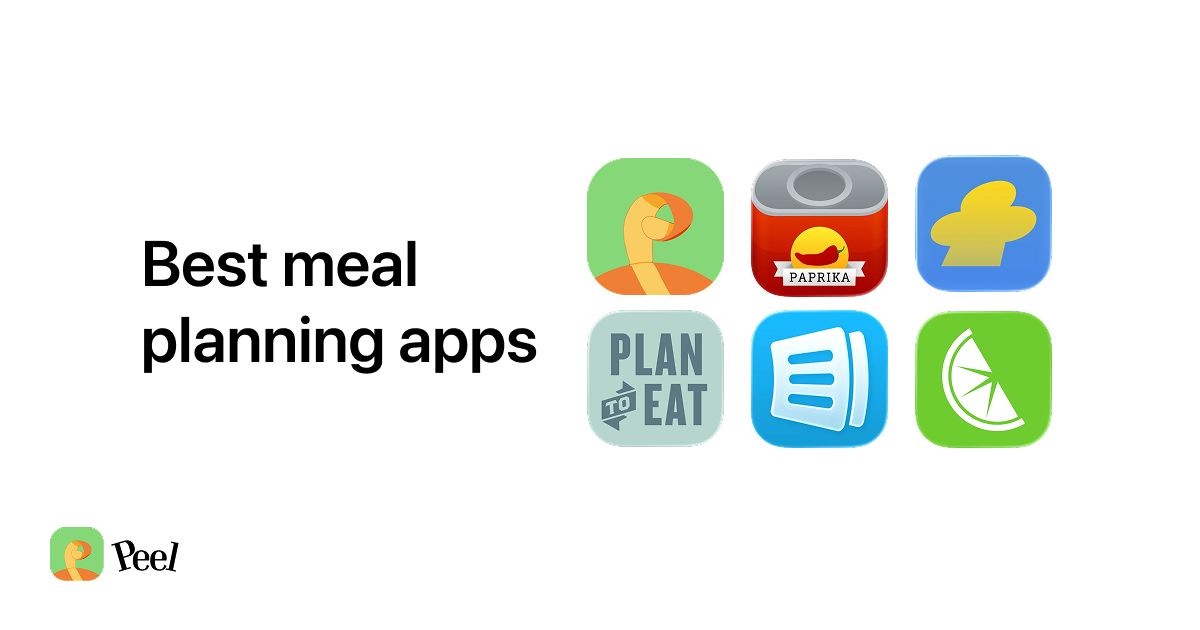
The question comes up in r/Frugal almost every week: "Is there an app that does meal plan AND budgets the meals?" The best meal planning grocery budget tool for iPhone in 2026 is free. Peel's free tier includes unlimited recipe storage, meal planning, and an auto-generated grocery list. Start with a trial; cancel and keep the free tier. Plan to Eat ($49/year) and Mealime (paid tier) both have solid planning features. This post compares how they perform for budget-conscious users, and explains why the free option wins for most of them.
Peel is free to download. Real free tier after the trial — no lock-out. Meal planning and grocery lists are included on the free tier.
Download Peel FreeiOS only. Android coming soon.
The Budget Meal Planning Paradox
There is a contradiction sitting in the center of the meal planning app market. The audience most drawn to these apps is people who want to save money on groceries. The apps most recommended for that goal charge $5 to $9 per month.
Plan to Eat costs $5.95/month or $49/year. EatThisMuch starts at $8.99/month. Mealime's free tier exists but charges to unlock full recipe variety. After testing each of them when we were building Peel, I kept returning to the same observation: paying a subscription to save on groceries is the first irony the budget audience notices. And they are right to notice it.
The feedback we kept hearing from Peel users was exactly this framing. They were not looking for price tracking features. They wanted a free tool that connected recipe saving, meal planning, and grocery lists without a monthly fee attached. That gap is what Peel fills. Here is how the main options compare:
| Feature | Peel | Plan to Eat | Mealime |
|---|---|---|---|
| Price | Free (core features) | $5.95/mo or $49/yr | Free tier + paid |
| Meal planning | Flexible pool | Calendar-based | Calendar-based |
| Auto grocery list | Yes, free | Yes, subscription | Yes, limited free |
| TikTok/Instagram import | Yes (limited free) | No | No |
| Web recipe import | Unlimited, free | Unlimited | Limited free |
| Recipe library | Bring your own | Bring your own | Stagnant (last updated Nov 2025) |
| Platforms | iOS only | iOS + Android | iOS + Android |
| Keeps your recipes after you cancel | Yes | No | No |
How Meal Planning Actually Saves Money on Groceries
Most budget app marketing leads with price tracking: log what each ingredient costs, calculate per-meal spend, optimize your weekly total. It sounds useful. In practice, most people stop updating it within two weeks because it adds friction to cooking rather than reducing it.
The actual budget savings from meal planning are simpler. When you plan five dinners and generate a grocery list from those specific recipes, you buy exactly what you need. No impulse purchases. No "I will figure out dinner later" moments that end in $30 of takeout. No wilted spinach going bad because you did not have a plan for it when you bought it.
Studies show meal planning can reduce household food waste by up to 25%. The average American household wastes roughly $1,500 in food annually. A real reduction from list discipline outperforms price tracking for most families, because the savings come from buying less, not buying cheaper. For the full breakdown on this, the data is covered in our post on how meal planning reduces food waste.
The second win is the forgotten mid-week trip. You planned five dinners. You bought every ingredient at once. No driving back for the one thing you missed. That single change removes both the cost and the time that derails most attempts to cook at home consistently.
Meal Planning Grocery Budget: Free vs. Paid Apps in 2026
Peel is free for recipe storage, meal planning, and grocery list generation. Web imports from any recipe site are unlimited. Social media imports (TikTok, Instagram, YouTube) have a fixed free allowance. iOS only. Real free tier after the trial — no lock-out.
Plan to Eat costs $5.95/month or $49/year. Actively updated, works on iOS and Android, calendar-based planning. No social media import. If Android support matters, this is the better paid option.
Mealime has a free tier but the recipe library stopped receiving updates in November 2025. Multiple App Store reviewers have cancelled Pro subscriptions over the stagnant catalog. The app still works, but recipe variety has not improved in over six months.
EatThisMuch starts at $8.99/month and focuses on calorie targets, not grocery budget. It is the wrong tool if saving money is your primary goal.
How to Save Budget Recipes from TikTok and Instagram
TikTok has become one of the most practical sources for budget recipes. Budget Bytes, Joshua Weissman, and Ethan Chlebowski each post free recipes consistently, with real ingredient costs and realistic cooking times. The problem: those saved videos sit in a TikTok folder that most people open once and never return to.
We built Peel to close that gap. The iOS share sheet lets you share any TikTok or Instagram recipe video to Peel, which extracts the recipe into structured ingredients and steps. From there it goes into your recipe library, then your meal pool, then your grocery list. The whole path from "I just saved this budget recipe" to "it is on my shopping list" takes under 60 seconds.
The free plan includes social media import credits that refresh every week. For someone saving two or three TikTok recipes per week, those weekly credits cover normal use without issues. Unlimited web imports cover everything else: Budget Bytes website, NYT Cooking, Serious Eats, any recipe site with no limit.
One thing to know upfront: if you plan to import 30 saved TikTok videos in a batch on your first day, you will hit the free allowance quickly. That is the trade-off. For ongoing weekly use, the free tier is sized for the pattern. Refer to our guide on getting started with meal planning for a practical first-week workflow that keeps everything manageable.
Your First Budget Meal Plan on $75 a Week
Planning from a grocery list is not complicated once you have a recipe pool. The discipline of buying only what is on the list is where the savings actually come from.
A realistic five-dinner week for one or two people on $75 in 2026:
5-Dinner Budget Pool Example
Chicken thighs, one pan
Bone-in thighs are $2-3/lb and nearly impossible to overcook. A familiar protein you already know how to cook.
Egg-based weeknight meal
Frittata, shakshuka, fried rice with eggs. Under $3 per serving, fast, flexible with whatever vegetables are in the fridge.
A TikTok budget recipe you have been meaning to try
One new recipe per week keeps the pool interesting. Pick one that looked achievable, not just impressive.
A second saved recipe, different protein
Variety in the pool prevents the "I can't decide, let's order pizza" moment mid-week.
A batch recipe that covers two nights
Lentil soup, a big grain bowl, chili. This is the budget multiplier. A $7 pot of soup covers four servings across two nights.
Cook in any order. Peel generates the grocery list from all five at once. Shop once for the week.
The batch recipe is worth focusing on. A pot of red lentil soup costs about $7 in ingredients and covers four servings. At $1.75 per serving for two dinners, it lowers your weekly per-meal average significantly. Build one into every week and the $75 budget holds even on weeks when other ingredients run a bit higher.
Once you add these five recipes to your Peel meal pool, the app generates a combined grocery list from all of them. Quantities are merged across recipes, duplicates removed. Three garlic cloves in the soup plus two in the chicken dish appear as five cloves on one list. You shop once, for everything, with nothing missing and nothing extra.
The flexible meal pool approach means no day is assigned to any recipe. Cook what sounds right on a given evening. If you are tired on Wednesday, the simpler recipe is still there. The pool does not break when you swap nights around, which is why it holds up better than a rigid Monday-through-Sunday calendar for most people.
Frequently Asked Questions About Budget Meal Planning
Does Peel track grocery prices or per-meal costs?
Is Peel really free for meal planning and grocery lists?
How does Peel compare to Plan to Eat for budget meal planning?
Can I save TikTok budget recipes in Peel for free?
Does meal planning actually save money on groceries?
What is the cheapest meal planning app in 2026?
Where to Go From Here
The best meal planning app for a grocery budget is the one you will actually use. Paying $49 before you have built the habit adds friction and cost at exactly the wrong moment. Starting free, building the routine, and letting it prove its value first is the more logical order for someone who is trying to reduce what they spend on food.
Peel is free on iPhone. Unlimited recipe storage, meal planning, and grocery lists are included. If you are coming from a TikTok or Instagram budget creator, you can save your first recipe in under 60 seconds and have a grocery list from a five-dinner plan in under five minutes.
I built Peel after testing every meal planning app on the market and finding the same gap: none of them let you start from your saved social media recipes and get to a grocery list without either paying a subscription or rebuilding your recipe collection from scratch. For iPhone users who cook from what they discover on TikTok and Instagram, the free path now exists.
Last updated: May 2026