You have 500+ saved posts. Half are recipes. Good luck finding the one you want.
Instagram's saved folder is a graveyard. Recipes mixed with memes, outfits, and vacation inspo. You'll never scroll through it all.
Ingredients on slide 2, steps on slides 3 through 7, tips in the caption. Good luck remembering all that while your pan heats up.
Pause, rewind, pause again. Trying to cook while following a quick Reel is a recipe for burned food.
The full recipe is there... somewhere in a lengthy caption with life stories and affiliate links. Just find the ingredients. Good luck.
"I saved a chicken recipe last month." Cool. Now scroll through 200 posts to find it. Instagram doesn't search saved content.
The creator removed their post or went private. That recipe you were saving for a special occasion? Gone forever.
One link. One tap. A complete recipe you can actually cook from.
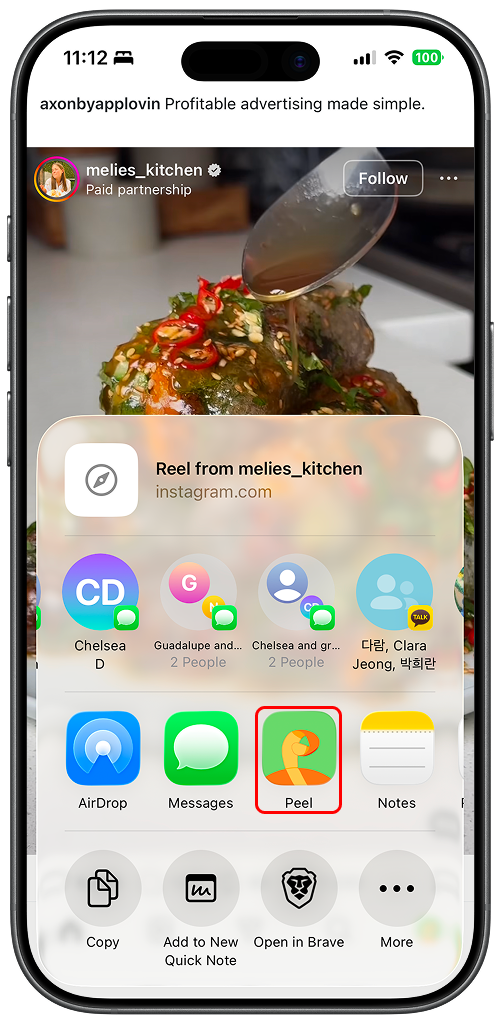
Scroll through your feed, Reels, or saved posts. When you find a recipe worth saving, tap Share.
Tap Peel in the share menu and let Peel parse the recipe from the post.
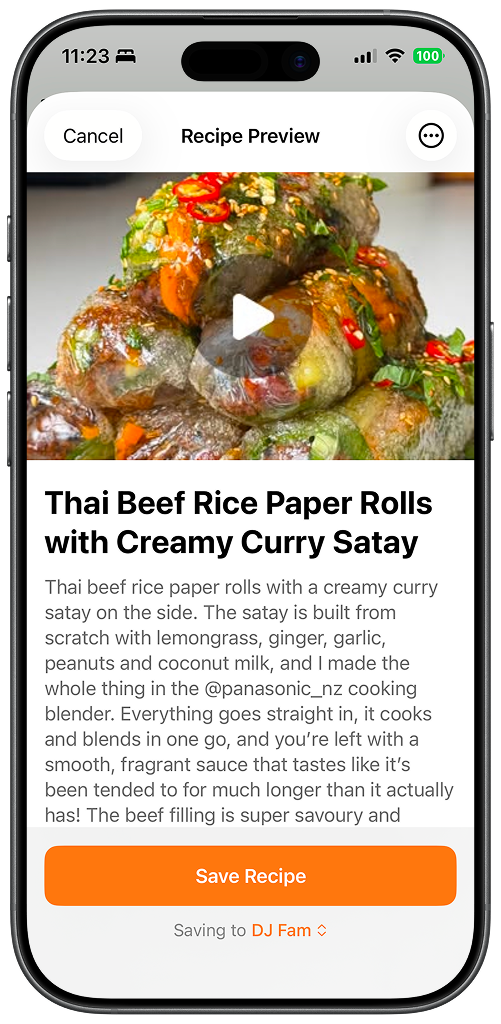
Review the extracted recipe and add it to your Peel cookbook.
Get a clean recipe card with ingredients and steps you can actually cook from.
Peel doesn't just save your Instagram recipes. It makes them usable.
Every ingredient parsed out with quantities. No more pausing to write things down.
One tap adds all ingredients to your shared grocery list. Shop for Instagram recipes with ease.
Save a recipe and it syncs to your partner instantly. No more sending links back and forth.
Type "chicken" and find every chicken recipe you've saved. Something Instagram can't do.
Drop Instagram finds into your flexible meal plan. Actually cook what you save.
Post deleted? Account gone private? Your recipe is safe in Peel, always accessible.
Everything you need to know about saving Instagram recipes.
Last updated: February 2026
Tips for saving and organizing your Instagram recipes.