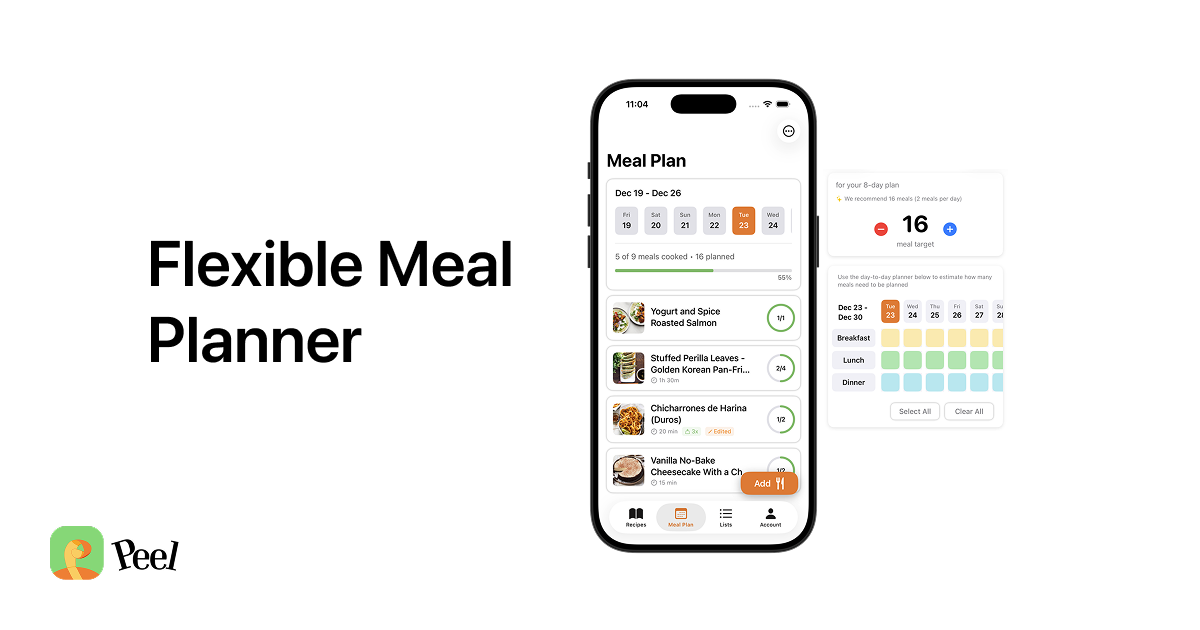
Peel is a Cozi alternative for iPhone if you want to save recipes and plan meals without assigning them to days. Cozi remains the stronger fit for a shared family calendar, chores, and household lists. Peel focuses on recipes from websites and social media, a flexible meal pool, and a grocery list built from your plan.
Cozi already stores recipes and adds their ingredients to shopping lists. The useful question is whether you want dinners on the same calendar as appointments, or a set of meals you can choose from as the week unfolds. This comparison uses Cozi's published documentation and Peel's current features; it does not claim a hands-on Cozi test. For other planning approaches, see our 2026 meal planning app guide.
Cozi vs Peel at a glance
The table focuses on Cozi and Peel because replacing a family calendar and changing your cooking workflow are separate decisions. Cozi's Meal Planner and Recipe Box guide documents web recipe saving, ingredients sent to a shopping list, and meals scheduled by date.
| App | Recipe & social import | Meal planning model | Family calendar & chores | Free tier | Platform |
|---|---|---|---|---|---|
| Peel | Web plus TikTok, Instagram, YouTube (AI extraction) | Flexible meal pool, cook what sounds good | No | Free storage, web imports, planning, and grocery lists; weekly social-import credits | iOS / iPadOS |
| Cozi | Web URLs, manual recipes, and Cozi Picks | Meals attached to calendar days | Yes, its core strength | Free with ads; paid Gold and Max upgrades | iOS / Android / Web |
Both apps can help you go from a recipe to groceries. Cozi adds meal dates to the household schedule; Peel lets you choose from a pool without assigning each meal a date. A busy family can reasonably prefer either approach.
Two different jobs: calendar-first family organizer vs recipe-first meal planner
In Cozi, meals sit alongside the rest of the household schedule. Its meal-planning instructions show how to choose a date and mealtime for a recipe, then send its ingredients to an existing or new shopping list. If everyone wants to see what dinner is planned for Tuesday, that shared calendar can be useful.
Peel starts with the recipes you want to cook. Save them into your kitchen, select meals for a plan, and choose the cooking order later. There is no shared appointments calendar or household chore list in Peel. Its free meal planning and grocery lists can handle the cooking side, but they do not replace family scheduling.
Where Cozi still wins
Keep Cozi if household coordination is the problem you need to solve. Its feature overview describes several capabilities that Peel does not offer:
- Shared family calendar. Everyone in the house sees the same schedule, color-coded by person. Peel has nothing like this.
- Shared to-do and chore lists. Keep household tasks alongside the family schedule. Peel does not include these lists.
- Cross-platform access. Cozi's FAQ documents iOS, Android, and browser access. Peel is available on iPhone and iPad, with no Android or web app.
- Recipe ideas. Cozi Picks supplies recipes to browse. Cozi Max adds AI recipe generation and meal planning based on preferences. Peel's Suggested Plans instead draw on the meal plans you make and recipes you have saved.
Cozi also offers an ad-supported free tier. Its plan comparison lists Gold as the ad-free upgrade and Max as the tier with AI tools; one Gold upgrade covers the family. You do not need to abandon a working calendar just to try a different way of planning dinners.
How Peel plans meals: import from anywhere, a flexible pool, an auto grocery list
Peel saves recipes from websites and blogs, plus TikTok, Instagram, and YouTube. Web imports and recipe storage are unlimited on the free tier. Social imports use credits that refresh every week; Premium makes them unlimited. Cozi documents web URL and manual recipe entry, but the documentation reviewed here does not establish TikTok or Instagram video extraction. Our guide to saving recipes from TikTok explains Peel's social-saving workflow.
I used to plan meals Monday through Sunday, then an unexpected event or a night out would interrupt the plan and make it feel like failure. That is why I built a pool: estimate how many meals you need, fill it with options, shop, and choose what to cook the day of or the day before. That experience explains Peel's design; it is not a claim that Cozi users cannot change their schedules. Our flexible meal planning guide covers the approach in more detail.
Peel turns your meal plan into a shopping list that aggregates quantities and organizes ingredients by category. You can also filter the list by recipe. Cozi can send recipe ingredients to a shopping list too. The reason to choose Peel is the combination of saved recipes, a flexible plan, and a combined list, rather than a claim that Cozi lacks grocery tools.
A week with Cozi for appointments and Peel for dinners
Here is a planning example, not a report of a household test. Suppose your family calendar shows two evenings away from home. Keep those events in Cozi, then choose meals in Peel for the evenings you expect to cook. The calendar helps you estimate how many dinners you need; the pool holds the options without assigning them to dates.
- Start with a few recipes you already want to cook. For a recipe stored in Cozi that came from a website, use the original website URL to save it in Peel. For a handwritten family recipe, Peel can scan a photo or accept a recipe entered by hand.
- Add those recipes to a meal plan in Peel and generate the grocery list. Review it against what is already in your kitchen before shopping. This is a manual pantry check, not a claim that Peel tracks your pantry.
- Choose dinner from the pool when you know how much time you have. If an evening out moves, you can choose a different cooking day without first assigning every recipe a new calendar slot.
- If the combination works, save the meal plan as a reusable template. Keep appointments and chores in Cozi so family members still know where to look for them.
This workflow keeps the calendar's useful information without making every dinner an appointment. It follows the reason I built the meal pool: shop for a set of options, then choose when to cook them. It does require checking two apps. If having everything on one shared calendar matters more to your family, staying with Cozi may be simpler.
There is no direct Cozi-to-Peel transfer or calendar sync offered here. Start with a few original recipe links instead of assuming your Cozi Recipe Box will move automatically. Free recipe and meal-plan sharing in Peel uses connections; a live shared kitchen with one partner requires Premium, and one subscription covers both partners.
Which one fits your household
Choose based on what your household needs to see and where your recipes come from:
- Choose Cozi if your main need is a shared family calendar, chores, and household lists everyone can see, and you want it on Android or the web too. Its meal planner is a fine bonus on top of that.
- Choose Peel if your main need is collecting recipes (especially from TikTok, Instagram, and YouTube) and planning meals from them, and you want that plan to flex when the week changes. You are on iPhone or iPad, and you do not need a family calendar inside the same app.
- Use both if you want Cozi's shared schedule and Peel's meal pool. Keep a clear place for each task and expect to manage the two apps separately.
If recipes saved from social media and deciding dinner day by day are your priorities, try Peel with a small plan. If you prefer assigning dinners alongside appointments, Cozi already supports that. For a broader comparison, see our roundup of the best free meal planning apps.
Frequently asked questions
Is Cozi free?
Yes. Cozi has an ad-supported free version with a shared calendar, shopping lists, to-do lists, and recipes. Gold adds ad-free use and premium calendar features; Max adds AI tools. Check Cozi's current plan comparison and purchase screen for pricing and feature limits.
Does Peel have a family calendar?
No. Peel does not have a shared family calendar or household chore lists. It focuses on saved recipes, meal plans, and grocery lists. Recipe and meal-plan sharing with connections is free with an account; a live kitchen shared with one partner requires Premium. Keep Cozi if family scheduling is essential.
Can Peel import recipes from TikTok and Instagram?
Yes. Peel imports recipes from TikTok, Instagram, and YouTube, as well as recipe websites. Web imports are unlimited on the free tier. Social imports use credits that refresh every week; Premium makes social imports unlimited. Cozi documents web recipe saving, but its documentation reviewed here does not establish social-video extraction.
Is Peel on Android?
No. Peel is available on iPhone and iPad, with no Android or web app. Cozi supports iOS, Android, and browser access, so it is a better fit when family members need to use different platforms.
To try the cooking workflow, save a few recipes, build one meal pool, and review its grocery list before your next shop. Keep the family calendar where it already works for your household.
Published September 2, 2026. Last updated September 24, 2026. Cozi documentation checked on that date; its plan comparison and dedicated Max page list different Max prices, so confirm the amount at purchase. Peel is available on iPhone and iPad.