If you want to extract recipe from Instagram, you have two options: bookmark the Reel (a link that breaks when the account goes private) or actually extract the ingredients and steps out of the video permanently. One is saving. The other is extracting. They are not the same thing.
Here's how to extract a recipe from an Instagram Reel: tap Share on the Reel, select Peel from the iOS share sheet, and the app automatically pulls the ingredients and steps from the video. The recipe is saved to your collection permanently, even if the account later goes private or the creator deletes the video.
If you've been saving Reels to Instagram Collections, you already know the problem. On a Sunday afternoon, it's a wall of thumbnails with zero context. Which one was the lemon chicken? No idea. And if the creator deleted the Reel last week, your saved bookmark is a dead link.
I built Peel specifically to close this gap. The feedback we kept hearing from early users was some version of the same thing: "I save Reels all the time but never actually cook them." Extraction solves that by turning a video into a real recipe you can use at the stove.
Peel is free to download — real free tier after the trial, no lock-out — and you can extract your first Instagram recipe in under a minute. Get Peel on the App Store →
Why Saving an Instagram Reel Is Not the Same as Extracting the Recipe
If you've been saving Reels to Instagram Collections, you've probably run into these issues:
- Collections are just links. Tap a saved Reel and you're watching the video again from the start. There's no ingredient list, no steps, nothing you can glance at while cooking.
- Captions are useless (or missing). Some creators put the recipe in the caption. Most don't. You get "RECIPE" and a link in bio that goes to a 404 page.
- Creators delete posts. That birria taco Reel you saved three months ago? Gone. The creator either deleted it or their account got suspended. Your save is now a dead link.
- Everything looks the same. Scrolling through 80 saved Reels trying to find one specific recipe based on a tiny thumbnail is painful.
- No measurements in the video. The creator eyeballs everything. Great for content, terrible for actually cooking.
- You can't search your saves. Instagram has no way to search within your Saved folder. You either scroll until you find it or give up.
There's a reason most of those saved Reels never become actual meals. The save button feels productive, but it's basically a graveyard.
How to Extract a Recipe From Any Instagram Reel on iPhone (Step-by-Step)
Extracting a recipe means pulling the ingredients and steps out of the video entirely. You end up with a proper recipe you can follow at the stove, not a link you have to rewatch.
Here's how to do it with Peel:
Step 1: Find a recipe on Instagram
Open Instagram and find any cooking Reel you want to keep. It doesn't matter if the creator lists ingredients on screen, mentions them out loud, or just dumps everything into a pan without explanation. Peel's AI handles all of it.
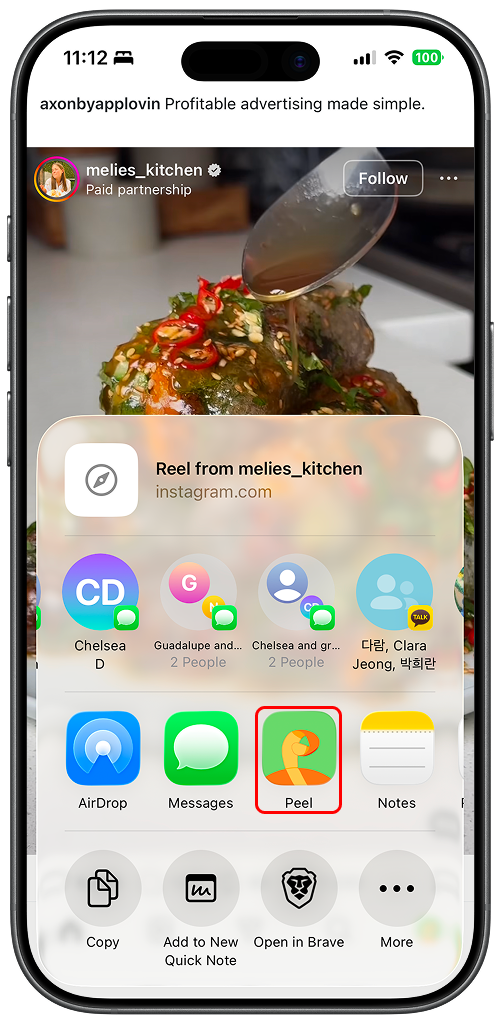
Step 2: Share to Peel
Tap the paper airplane icon on the Reel and select Peel from your share sheet. (You might need to scroll right and tap "More" the first time you do this.)
You can also copy the Instagram link and paste it directly into Peel.
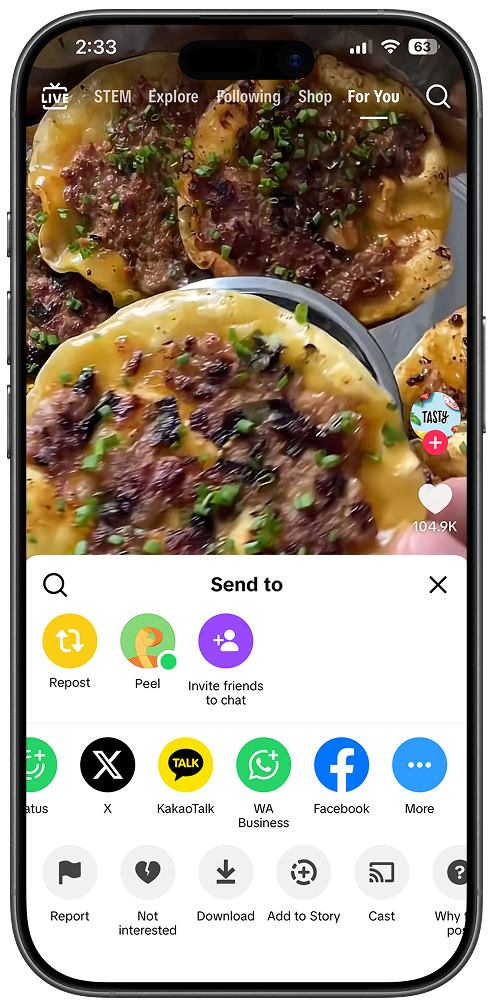
Step 3: Get your complete recipe
Peel's AI watches the video, listens to the audio, and pulls out everything you need:
- Full ingredient list with quantities
- Step-by-step cooking instructions
- Prep time and cook time
- Serving size
Takes about 10 seconds. No pausing the video at the right frame, no screenshotting, no typing anything out by hand. The extracted recipe goes straight into your collection alongside anything you've saved from YouTube cooking videos, recipe websites, or other sources.
Download Peel free →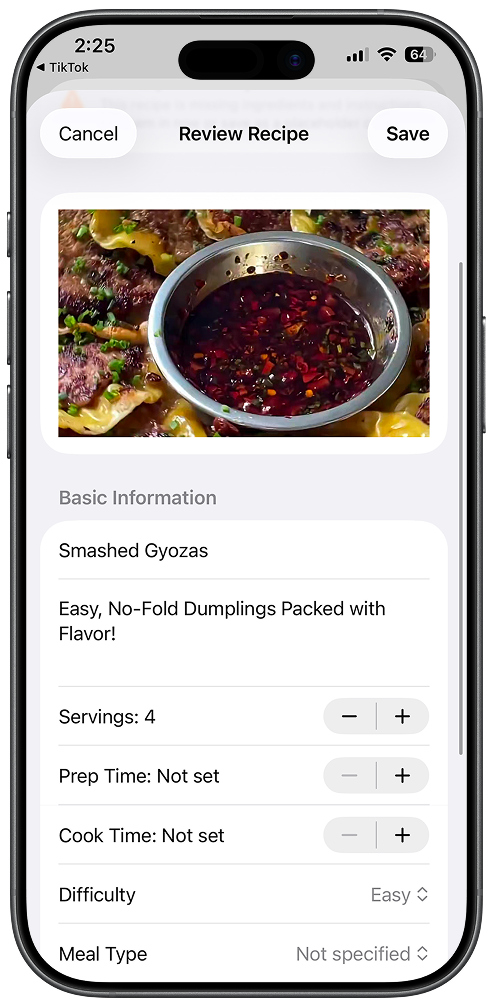
What Happens to Your Extracted Recipes When the Instagram Account Goes Private
Nothing. That's the point of extraction. When you save a Reel to Instagram's built-in Saved folder, the bookmark dies the moment the creator goes private, deletes the post, or loses their account. When you extract the recipe to Peel, the ingredients and steps are copied into your collection. The creator's account is no longer part of the equation. I've tested this with hundreds of recipes after accounts went private: every extracted recipe in Peel stays intact. Every Instagram bookmark becomes a dead link.
Here's what Peel pulls out of each Reel:
- Full ingredient list with quantities. "One and a half cups of flour" instead of the creator dumping a bag into a bowl. Where they eyeball it, Peel fills in reasonable estimates.
- Step-by-step instructions. The recipe gets broken into numbered steps you can follow while cooking.
- Prep and cook times. So you know whether you're committing to 15 minutes or two hours before you start.
- Measurement conversions. Peel converts between metric and imperial if you need it.
- Creator attribution. The original Reel thumbnail is saved, and you can tap through to watch the original video anytime.
- Permanent storage. If the creator deletes the Reel or their account disappears, your extracted recipe stays in your collection.
Extracting vs. Screenshotting: Why Screenshots Fail You Later
Screenshots feel like a solution in the moment. You pause the Reel at the ingredient list, take a screenshot, and tell yourself you'll find it later. Here is why that rarely works:
- Reels rarely show measurements on screen. Creators eyeball everything. A screenshot of a pan filling with pasta tells you nothing about quantities.
- Screenshots live in your Camera Roll. Six months from now, that mushroom risotto screenshot is buried under 400 other photos. You cannot search "risotto" in your Camera Roll.
- You still have to rewatch the video to get the steps. A screenshot captures one frame. The cooking steps are scattered across a 30-second video you have to scrub through anyway.
- The screenshot is useless if the account gets deleted. You have a thumbnail image, not a recipe. The quantities and steps are still locked in a video you can no longer access.
Extracting the recipe with Peel avoids all of this. The AI watches the video, listens for quantities mentioned in the voiceover, and builds a complete recipe with ingredients and numbered steps. No screenshots, no rewatching, no searching your Camera Roll.
From Extracted Recipe to Meal Plan: The Full Workflow
Once the recipe is extracted, you can actually do something with it. This is where Peel pulls ahead of Instagram's save button or a screenshot.
Add ingredients to your grocery list
One tap adds every ingredient from a recipe to your grocery list. If you're cooking multiple recipes that week, Peel combines duplicate ingredients automatically. Two recipes that both call for onions? You'll see one combined entry, not two.
Add the recipe to your meal pool
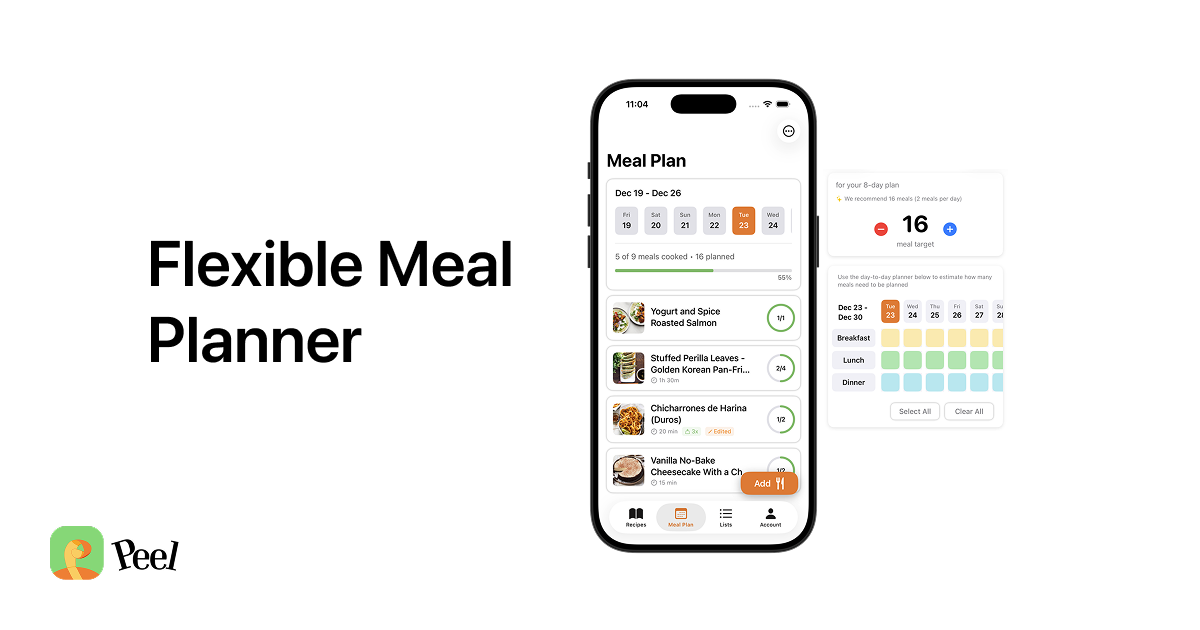
Peel uses a meal pool instead of a rigid weekly plan. You toss recipes into a pool for the week and pick what to cook each night based on what you're in the mood for. Your Instagram finds go straight into the rotation.
Search your collection
Unlike Instagram's unsearchable Saved folder, your Peel recipes are searchable. Looking for that shakshuka from two months ago? Type "shakshuka" and it's right there.
Share and copy recipes with connections
With a free Peel account, you can send any extracted recipe to a connection with a tap. They receive it in their inbox and save it to their own kitchen. For couples who want a fully shared live kitchen, one Premium subscription covers both partners. Same recipes, same meal pool, same grocery list, all synced in real time.
Free vs Premium
Peel has both free and premium tiers for extracting Instagram recipes:
- Free plan: Import credits for TikTok, Instagram, and YouTube that refresh every week. Unlimited recipe imports from websites and blogs. Start with a trial; cancel and keep the free tier.
- Premium: Unlimited TikTok, Instagram, and YouTube imports, plus partner kitchen sharing so two people can share one live kitchen.
The free weekly credits give you enough imports to test whether the extraction quality holds up for the recipes you actually care about.
Also works with TikTok, YouTube, and websites
The same extraction works across platforms:
- TikTok: The same share sheet extraction works for TikTok. For a full step-by-step walkthrough, see the sister guide: How to Extract and Save TikTok Recipes.
- YouTube: Works with cooking videos and Shorts.
- Facebook: Save recipes shared in groups or on pages.
- Pinterest: Pull recipes from Pins without clicking through five ad-loaded pages.
- Recipe websites: Peel imports recipes from websites too, pulling out just the recipe from pages buried under ads and life stories.
If you've been collecting recipes across Instagram, TikTok, Facebook, Pinterest, and random food blogs, Peel puts them all in one place.
You've already done the hard part
Finding recipes you want to cook is the hard part. Scrolling Instagram, watching a Reel, thinking "I'd actually eat that." You've already done that dozens of times.
The gap between saving a Reel and cooking the meal is just friction. You'd have to rewatch the video, pause it, write things down, maybe hunt for the caption. Most people don't bother, which is why those saved Reels sit there forever.
Peel removes that gap. Download Peel and try it with your first Instagram Reels using the free weekly import credits. Pick the ones you've been meaning to cook and see what happens when they're actual recipes instead of bookmarks.
Last updated: June 2026