You've saved dozens of cooking videos to your YouTube playlist. You've watched them multiple times. You've even said "I'm making that this weekend" out loud to nobody. And yet your YouTube saved playlist has produced exactly zero home-cooked meals.
That's not your fault. YouTube is built for watching, not for cooking. When you're standing at the stove with raw chicken on the cutting board, scrubbing through a 12-minute video to find out how much cumin to add is nobody's idea of a good time.
Here's how to actually turn those YouTube cooking videos into recipes you'll cook.
Why saving a YouTube video doesn't save the recipe
This is the part most people don't think about until they're mid-cook and frustrated.
When you hit "Save" on a YouTube cooking video, you're bookmarking a video. That's it. You're not saving:
- An ingredient list with quantities
- Step-by-step instructions you can glance at while cooking
- Prep time or serving size
- Anything searchable by ingredient or dish name
Your "Saved" playlist is a list of video titles. Try finding "that chicken thigh recipe from two months ago" in a list of 200 saved videos and you'll see the problem.
And it gets worse. A lot of cooking channels don't put the full recipe in the video description. Some link out to a blog post. Some ask you to comment "RECIPE" to get a DM. Some just don't write it down anywhere. If you want the recipe, you have to watch the whole video and take notes.
That worked when cooking meant following a printed cookbook. It doesn't work when you find 5 new recipes a week on YouTube while eating lunch at your desk.
Method 1: Copy the recipe from the description (when it's there)
The simplest method, but only works some of the time.
- Open the YouTube video
- Tap "...more" to expand the description
- Look for a full ingredient list and instructions
- Copy the text and paste it somewhere useful (Notes app, a recipe app, etc.)
When this works: Channels like Ethan Chlebowski and some food bloggers consistently put full recipes in their descriptions. If you follow these creators, the copy-paste method is fine.
When this fails: Many popular cooking channels either skip the written recipe, link to an external blog, or only list partial ingredients. If the description just says "Full recipe on my website!" you're back to square one.
The other problem: even when the recipe is in the description, you've now got unformatted text in your Notes app. No photos, no organization, no way to add it to a grocery list. It works, but it's barely better than a screenshot.
Method 2: Use an AI recipe extraction app
This is the method that actually solves the problem for any YouTube cooking video, whether or not the recipe is written down anywhere.
Apps like Peel, Flavorish, Pluck, and Recipe Bro can take a YouTube video URL and extract a full, structured recipe from it. They use AI to watch the video, listen to the audio, and pull out ingredients, quantities, and cooking steps.
Here's how it works with Peel:
Step 1: Find the cooking video on YouTube
Open YouTube and find the recipe video you want to save. Works with regular videos and YouTube Shorts.
Step 2: Share the video to Peel
Tap the Share button under the video. Select Peel from your share sheet. (On iOS, you may need to scroll right and tap "More" the first time to add Peel.)
You can also copy the YouTube link and paste it directly into the app.
Step 3: Get your structured recipe
Peel's AI processes the video and gives you back:
- Full ingredient list with measurements
- Numbered cooking steps
- Prep and cook times
- Serving size
- The original video thumbnail (so you can always rewatch it)
The whole thing takes about 10 seconds. No note-taking, no pausing and rewinding, no squinting at the description box.
What about videos without a written recipe?
This is where AI extraction really earns its keep. Some cooking videos are entirely verbal. The creator just talks through the recipe while cooking, never writing anything down. Tools like Peel and Pluck can still extract the recipe from the audio alone. If the creator says "two tablespoons of soy sauce," that ends up in your ingredient list.
It's not perfect for every video. A vague "add some salt to taste" stays vague. But for the majority of cooking videos, you get a usable recipe that's significantly better than trying to remember what happened at the 4:37 mark.
Method 3: Use a web-based video-to-recipe converter
If you don't want to install an app, tools like Video2Recipe let you paste a YouTube URL into a web browser and get a recipe card back. They work similarly to the app-based options (AI watches the video, extracts the recipe) but without the app install.
The tradeoff: web tools give you a one-off recipe card, but they don't organize your recipes or help you plan meals. You'll need to manually save the output somewhere. If you're only saving the occasional YouTube recipe, that's fine. If you're saving recipes regularly, you'll want an app that keeps them all in one place.
What to do with the recipe after you save it
Saving the recipe is step one. The reason most saved recipes never get cooked is that there's no bridge between "that looks good" and "I'm making it Wednesday."
When I built Peel, I wanted one kitchen where we could keep our family's recipes from every source together, because gathering them felt more useful than building another place to browse recipes.
If you're using a recipe app like Peel, that bridge already exists:
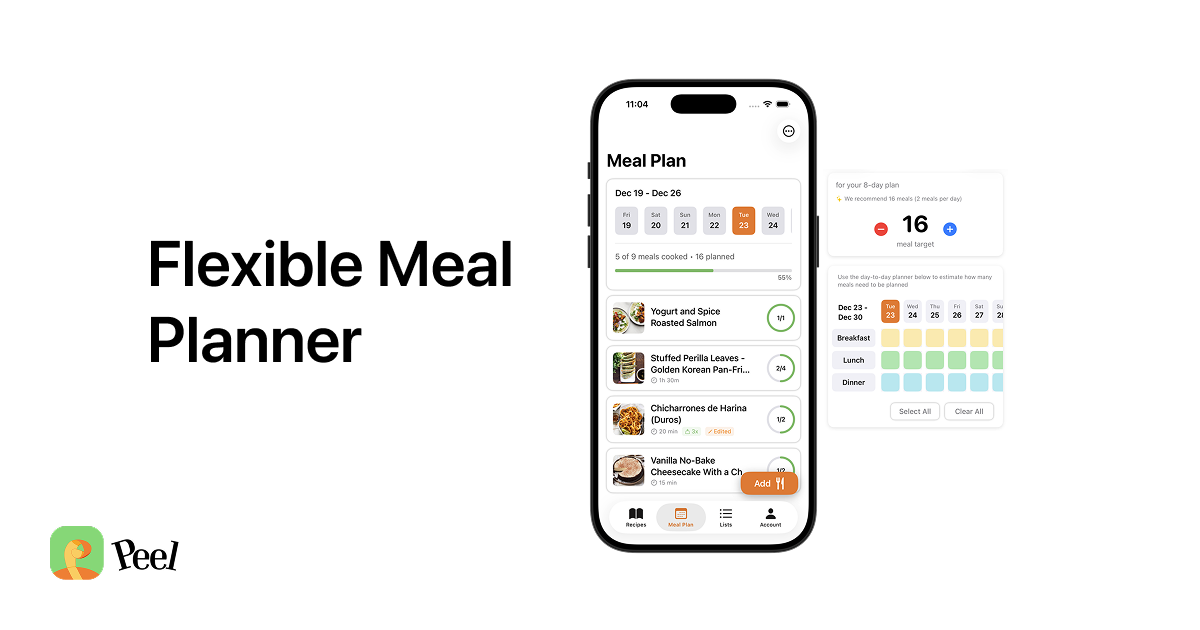
Add it to your meal pool. Peel uses a flexible meal planning system where you add recipes to a weekly pool instead of assigning them to specific days. When dinner rolls around, you pick whatever sounds good from your pool. Your YouTube finds go straight into your rotation.
Generate a grocery list. Once a recipe is in your plan, Peel can build your grocery list from the ingredients. No more watching the video three times to write down what you need before going to the store.
Search by ingredient or name. Unlike a YouTube playlist, a recipe collection is searchable. "Chicken thigh recipes" pulls up every YouTube recipe you've saved with chicken thighs. That's the difference between a playlist and a recipe book.
YouTube recipes vs. TikTok and Instagram recipes
If you're saving recipes from multiple platforms, you're not alone. A recent Reddit thread in r/Cooking showed people asking for a system that works across YouTube, TikTok, and Instagram. The workflow is basically the same for each one:
- YouTube: Share video link or paste URL into a recipe app
- TikTok: Share the TikTok to your recipe app via share sheet
- Instagram: Share the Reel link or paste it into the app
The details differ slightly by platform, but the concept is the same: stop saving videos and start saving recipes.
If your recipe collection is spread across all three platforms (and maybe a few recipe websites too), a recipe saver app that handles them in one place will save you from having four different "recipe" folders. A consistent system also makes it easier to store recipes digitally without losing track of where each one came from.
A note on pricing
Peel has a free tier with unlimited recipe storage and website imports. Free accounts also get social import credits that refresh every week for YouTube, TikTok, and Instagram; Premium keeps those social imports unlimited.
Other apps in this space vary. Some charge per import, some are subscription-only, some offer limited free tiers. Worth checking a few to see which one fits how you cook.
Your YouTube playlist is a wish list, not a cookbook
The recipes are already there. You picked them because something about each one made you think "I want to eat that." That instinct is worth more than any algorithm-generated meal plan.
The gap between watching a cooking video and actually cooking the recipe is smaller than it feels. It's really just the friction of turning a video into something usable in your kitchen. Once you solve that, your YouTube saves stop being a graveyard of good intentions and start being a recipe collection you actually cook from.
Download Peel and try it with a YouTube recipe you've been meaning to make. The free tier handles website imports, and you can test the YouTube import with Premium.
Last updated: September 2026