You saved a birria taco recipe from TikTok last Tuesday. A one-pot pasta from Instagram on Thursday. A sheet pan salmon from YouTube over the weekend. They're sitting in your bookmarks, your screenshots, your "saved" folder, everywhere except your actual meal plan.
This is the gap that traditional meal planning ignores. You already know what you want to cook. You just don't have a system that connects the recipes you find to the meals you eat.
That's what reverse meal planning is supposed to fix. But most guides get it wrong. If you want to skip ahead, Peel is free to try and does exactly what this post describes: turn saved recipes into a meal pool and a grocery list.
What "reverse meal planning" usually means
If you search for reverse meal planning right now, you'll find three versions of the same idea:
The pantry version. Open your fridge and cabinets, see what you already have, build meals around those ingredients. The goal is reducing waste.
The budget version. Check the weekly sales flyer, buy whatever's cheapest, then figure out what to cook with it. The goal is saving money.
The dinner log version. Track what you actually cooked for a month, then build future plans based on what you realistically make. The goal is honesty about your habits.
All three have merit. But they share the same problem: they start from constraint. What do I have? What's on sale? What have I done before?
None of them start from what you actually want to eat.
A better starting point: your recipe collection
Here's what gets missed in the reverse meal planning conversation. Most home cooks in 2026 already have a recipe collection, they just don't think of it that way.
Your TikTok saves? That's a collection. Your Instagram bookmarks? Collection. The screenshots in your camera roll of recipes you swore you'd try? Collection (a messy one, but still).
The problem isn't finding recipes. You find new ones every day while scrolling. The problem is that the recipes live in one place and your meal plan lives in another. Or doesn't exist at all.
Reverse meal planning from your recipe collection looks like this:
During the week: Save recipes as you find them. TikTok, Instagram, YouTube, food blogs, wherever you scroll. Don't overthink it. If it looks good, save it.
On planning day (5 minutes, max): Open your collection. Pick 3-4 recipes that sound good for the coming week. That's your meal pool, not a rigid Monday-through-Friday schedule, just a shortlist of meals you'd be happy eating.
Generate one grocery list. A good recipe app will merge the ingredient lists from your selected recipes, so you're not buying duplicates.
Shop once. Cook from desire, not obligation.
That's it. The "reverse" part is that you're not starting from scratch on planning day. The discovery work already happened passively, while you were doing something you enjoy (scrolling). Planning day is just picking from a curated list.
Why this works better than pantry-first planning
I'm not going to pretend that checking your fridge before shopping is bad advice. It's fine. Do that too.
But pantry-first planning has a motivation problem. When your dinner options are "whatever I can make from half an onion, some rice, and that chicken I froze three weeks ago," you're not exactly excited to cook. You're making do.
Recipe-collection planning flips the energy. You're choosing from meals you were genuinely excited about when you saved them. The birria tacos. The one-pot pasta. The sheet pan salmon. These aren't leftovers-driven compromises, they're meals you actually want to eat.
And the practical benefits still show up:
Your grocery list is lean. When you pick 3-4 recipes in advance and generate one combined list, you buy only what you need. No wandering the store, no impulse purchases from browsing recipes on your phone in the cereal aisle.
Less food waste. You're buying ingredients for specific meals, not "stuff that seems useful." Everything has a purpose.
Decision fatigue drops. The hardest meal planning question ("what should we eat this week?") is already answered by your collection. You just pick from it. (We wrote a whole post on meal planning decision fatigue if this resonates.)
Reverse planning vs. forward planning: the actual decision count
Calendar-style forward planning looks more organized on paper, but count the decisions it actually asks you to make. A rigid Monday-through-Sunday plan requires seven separate cooking decisions made in advance, on a day when you have no idea how Wednesday is actually going to feel. Then life happens: you run late, you're not in the mood for what's on the calendar, or you're out of one ingredient. Now you're re-deciding anyway, except you've also lost the plan you built.
Reverse planning from a recipe collection asks for one real decision: which 3-5 recipes go in this week's pool. Every choice after that is small and low-stakes, picking from a shortlist you already said yes to, not deciding from scratch. You go from seven high-effort decisions a week to one.
This isn't just a convenience argument. It matches a well-documented finding in behavioral research: more options at the moment of choice can lower the odds you choose anything at all. In a widely cited 2000 study from Columbia University, researchers Sheena Iyengar and Mark Lepper set up tasting booths in a grocery store, one offering 24 jam varieties, the other offering just 6. The 24-jam booth drew more browsers, but only 3% of them bought a jar. At the 6-jam booth, 30% did, a tenfold difference in actual purchases. More choice at the decision point didn't help people commit. It made committing harder.
A pantry, a grocery flyer, or an open-ended "what should I cook tonight" is the 24-jam booth: too many live options at the moment you're supposed to decide. A meal pool of 3-5 recipes you already picked is the 6-jam booth. The choosing already happened. All that's left is picking, which is a much easier thing for your brain to do at 6pm on a Tuesday.
The "meal pool" approach
We call this a meal pool, a rotating shortlist of recipes you draw from each week. It's different from a rigid calendar where Monday is chicken, Tuesday is tacos, Wednesday is pasta, and any deviation feels like failure.
With a meal pool, you pick 3-5 meals for the week, buy the ingredients, and cook whichever one sounds right on any given night. Tired? Make the simple pasta. Feeling ambitious? Go for the birria tacos. Nobody's judging which night you cook what.
The flexible meal planning method goes deeper on this if you want the full philosophy. The short version: plans that bend don't break.
How to build your recipe collection (if you don't have one yet)
If your recipes are scattered across five different apps and your camera roll, you have two options.
Option 1: Keep the chaos. Continue saving to TikTok favorites, Instagram bookmarks, and screenshots. On planning day, open all three apps and scroll through until you find something. This works, technically. It's just slow and annoying.
Option 2: Centralize. Use a recipe app that imports from social media, so everything lives in one place. When you find a recipe on TikTok, share it to the app instead of screenshotting. The recipe gets extracted (ingredients, steps, cook time) and sits in your collection ready to use.
Peel does this. You share a TikTok, Instagram Reel, or YouTube video to Peel, and it pulls out the full recipe in seconds. Your collection grows passively as you scroll. When Sunday rolls around, you open the app, pick 3-4 meals, and your grocery list writes itself.
We have step-by-step guides if you want the details:
The exact workflow, step by step
Here's what reverse planning from your collection actually looks like inside Peel, from the first save to the grocery run.
1. Save as you go. When a recipe catches your eye on TikTok, Instagram, or YouTube, use the share sheet to send it to Peel instead of screenshotting it. Peel pulls the ingredients, steps, and cook time out of the video automatically and adds it to your recipe collection. You can also paste a link from any recipe website. No planning decision happens here, you're just capturing things you like.
2. Open your collection on planning day. Once a week (Sunday works for most people, but there's nothing special about Sunday), open Peel and scroll your saved recipes. This is the only step where you're actually deciding anything.
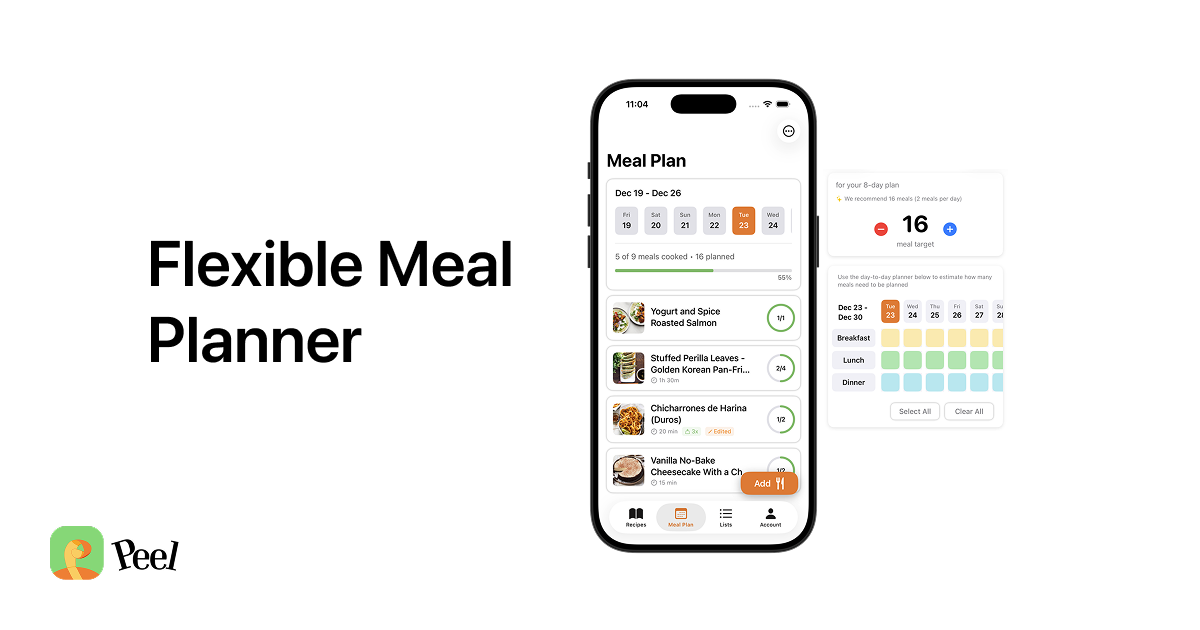
3. Build your meal pool. Tap 3-5 recipes you're excited about and add them to your pool for the week. This is not a calendar, you're not assigning the birria tacos to Tuesday. They're just in the pool, available whenever you want them.
4. Generate one grocery list. Peel merges the ingredient lists from everything in your pool into a single list, combining duplicate ingredients so you're not buying three separate bags of garlic. Cross off what's already in your kitchen, and the rest is your shopping list.
5. Shop once, cook from the pool all week. Every dinner decision for the next 5-7 days is now "which one of these 3-5 things sounds good tonight," not "what am I going to make." The planning work is already done.
A week of reverse meal planning in practice
Here's what this actually looks like, start to finish:
Monday through Saturday (passive): You scroll TikTok after dinner, see a crispy chili oil noodle recipe that looks incredible, and save it to Peel. Two days later, an Instagram Reel for lemon herb chicken catches your eye. Save. A friend texts you a YouTube link for homemade pizza dough. Save.
Sunday afternoon (5 minutes): You open your recipe collection. You've got 12 saved recipes from the past two weeks. You pick four: the chili oil noodles, the lemon chicken, leftover pizza night (using that dough recipe), and a quick stir-fry you've made before. Add them to your meal pool.
Sunday afternoon (2 minutes): Tap "generate grocery list." Peel combines ingredients from all four recipes. You scan the list, cross off things you already have (soy sauce, olive oil, garlic), and head to the store.
Monday through Friday: Cook whatever sounds good from your pool. The noodles took 20 minutes. The chicken was hands-off in the oven. Pizza night was Friday with your partner. The stir-fry covered Thursday when you got home late.
One shopping trip. Four home-cooked meals. Zero "what's for dinner?" stress.
Who this works for (and who it doesn't)
This approach works best if you:
- Already save recipes from social media (even occasionally)
- Dislike rigid day-by-day meal plans
- Want to actually cook the recipes you find instead of forgetting them
- Shop once per week (or want to)
- Cook 3-5 dinners per week, not 7
It might not be your thing if you:
- Prefer structured plans where every day is mapped out
- Follow a specific macro or calorie-counting diet that requires precise daily control
- Don't really use social media for recipe discovery
For everyone else (especially if you have a growing pile of saved recipes you never cook) this is the system that closes the gap. If you're weighing this against other approaches, the best meal planning app guide covers how different apps handle planning style, not just recipe saving.
Frequently Asked Questions About Reverse Meal Planning
Is reverse meal planning the same as pantry-first planning?
How many recipes should be in a meal pool?
Do I need to assign recipes to specific days?
What if I don't have any saved recipes yet?
Start with what you've already saved
You don't need to overhaul your kitchen or become a "meal prep person." You just need to use the recipes you've already found.
Open your TikTok saves. Look at your Instagram bookmarks. Count the recipes you were excited about but never made. That's your starting collection.
If you want a tool that turns those saves into a usable meal plan with a grocery list, download Peel free. The free plan includes weekly-refreshing social media import credits, enough to try a week of reverse meal planning from your collection and see if it clicks.
The recipes are already there. The system is the missing piece.
Last updated: August 2026