Peel is a meal planning app that suggests meals through reusable plan templates based on the plans you actually make. Choose it if you want suggestions from your own planning habits; choose Eat This Much if you want meals generated around nutrition targets. A saved-menu planner such as Plan to Eat is another option if you prefer choosing and repeating the combinations yourself.
The useful question is where you want the suggestions to come from: your previous plans, a nutrition-based generator, or a menu you saved yourself. Those approaches can all reduce the work of starting a plan, but they ask different things of you. This comparison focuses on that choice. For other planning features, see our 2026 meal planning app guide.
The short answer: apps that suggest meals for you, compared
Here is how three planners provide a starting point. The comparison draws on their published features, not a hands-on test of the competing apps. Sources are linked in the sections below.
| App | Where the starting point comes from | What you can change | Best fit |
|---|---|---|---|
| Peel | Templates suggested from the meal plans you make | Save a suggestion, then choose meals from your pool | Fits cooks who want to reuse their own planning habits |
| Eat This Much | Meals generated around preferences and nutrition targets | Regenerate meals or keep the ones you want | Fits people who want automatic nutrition-based planning |
| Plan to Eat | Reusable Menus you create from planned recipes, ingredients, and notes | Edit a Menu and place it on your calendar | Fits cooks who want to choose their own repeatable menus |
All three let you make choices. The distinction is what the app supplies before you start editing. Peel suggests plan templates, Eat This Much generates meals around targets, and Plan to Eat lets you reuse combinations you have already assembled. Being able to change a plan is not exclusive to Peel.
Where meal suggestions come from
Before choosing an app, decide whether you want new recipes to discover or help arranging recipes you already have. A generator can provide dinner ideas without you assembling a menu first. A planner built around your saved recipes is more useful when you already know what you like but want help putting a week together.
Eat This Much generates meals using food preferences and nutrition targets. Its weekly regeneration controls let you keep existing meals or replace them. That makes it a changeable plan, not a fixed set of instructions. Its free and Premium comparison distinguishes daily planning from paid weekly planning features.
Plan to Eat takes a different approach. Its Menus feature saves groups of planned recipes, ingredients, and notes for reuse. You can change servings, move meals, and place a saved Menu on a new date. Its Queue also keeps a smaller selection of recipes handy. You choose those starting points yourself; you do not need to rebuild every week from an empty calendar.
Mealime is a time-sensitive option. Its planning guide supports both advance and day-by-day planning, so it should not be described as requiring a rigid calendar. However, Mealime will be discontinued on October 21, 2026, with its recipes continuing in Meals Hub. If you are leaving it, our Mealime alternatives guide covers the replacement decision separately.
How Peel's Suggested Plans works
Peel studies the meal plans you actually make and suggests ready-to-save plan templates in your Meal Library: your usual week, a meal-prep base, or recipes you saved but never planned. Those are suggestions for organizing your own cooking. Peel is not a strict calorie or macro tracker, and Suggested Plans should not be treated as an automatic nutrition-target generator.
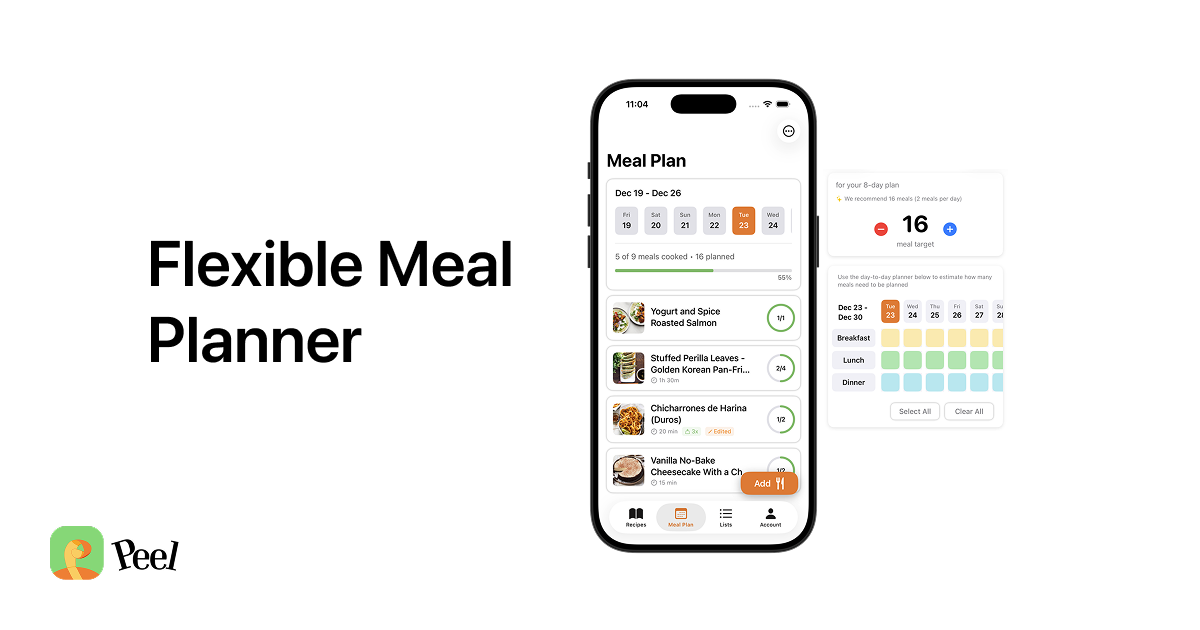
A suggested template gives you something to review before you shop. Save a useful starting point to your Meal Plan Library, consider how many meals you need, and adjust the recipes to fit. You can also save and reuse a plan you made yourself. That manual route is useful when you already have a combination you want to repeat.
I built Peel’s pool after trying to plan meals Monday through Sunday and finding that an unexpected evening out could leave the whole week feeling like a failure. With a pool, you choose the meals you intend to cook, shop for them, and decide what to make the day of or the day before. That is the part a suggestion needs to serve: a set of meals you can actually use when the week changes. Our flexible meal planning guide explains the workflow.
My wife and I keep several saved base plans for meal prep. We use a recipe that makes six servings for the two of us, alongside recipes that cover fewer meals, so we can prep when we have time and cook less over the following days. These are plans we saved ourselves, not evidence of a result from Suggested Plans. The same practical test applies to a suggestion: does this set of recipes cover the meals we need, and can we cook it with the time available?
How to review a suggested plan before shopping
A familiar-looking plan still needs a check against this week. Start with the meals you will eat at home, then look at portions and cooking time. A batch recipe may cover several meals; a recipe you saved for a quiet weekend may be a poor fit for a busy evening.
Here is an example of applying that check, rather than a claim about what the app will suggest. If you have two evenings available to cook, choose recipes whose portions will cover the other meals you need. Remove an option you cannot realistically prepare. Then turn the plan into Peel’s grocery list, which aggregates quantities and organizes ingredients by category, and check what you already have before shopping.
I choose from my pool by asking what I want to eat today and what is happening tomorrow. If tomorrow is busy, I cook something that makes enough for several meals; if I just need dinner, I choose a single-meal recipe. A useful starting plan leaves room for that choice. It does not require you to follow the order in which its recipes appear.
When a fully-automatic planner is the better fit
Choose Eat This Much when nutrition targets are the reason you need suggestions. Its generator is designed around that task, while Peel is designed around saving recipes, planning meals, and building a grocery list. For a closer comparison, see our Eat This Much alternative guide.
Choose Plan to Eat if you want a calendar and reusable menus that you assemble yourself. Choose Peel if you want suggested templates from your planning habits and a pool from which to pick meals as the week unfolds. Peel runs on iPhone and iPad; there is no Android or web app.
Peel’s free tier includes unlimited recipe storage, web imports, meal planning, saved plans, and grocery lists. Free social import credits refresh weekly, while Premium provides unlimited social imports. For a broader free-tier comparison, see our roundup of the best free meal planning apps.
Frequently asked questions
Does Peel suggest meals automatically?
Suggested Plans studies the meal plans you actually make and suggests ready-to-save templates in your Meal Library. Examples include your usual week, a meal-prep base, or recipes you saved but never planned. This is different from generating meals to hit calorie or macro targets.
Can I change what Peel suggests?
Yes. Save a suggested template as a starting point, then adjust your meal plan and choose what to cook from the pool. You can also save and reuse plans you make yourself. Other planners support changes too; the difference is where the starting plan comes from.
Is a meal planning app that suggests meals free?
Peel is free to download. Its free tier includes unlimited recipe storage, web imports, meal planning, saved plans, and grocery lists, plus social import credits that refresh weekly. Eat This Much also has a free tier, with weekly planning features in Premium. Check the current in-app details for the features you need.
Does Peel work without me building a plan first?
You can start by saving recipes and building your own meal plan, then generate a grocery list from it. Suggested Plans draws on the plans you make. There is no need to wait for a suggestion to begin, and this guide does not promise a specific number of plans or days before suggestions appear.
Start with the recipes you want to cook and the meals you need to cover. If suggestions based on your own plans sound useful, download Peel, build a pool, and save a plan you would like to use again.
Published August 19, 2026. Last updated September 17, 2026. Competitor features checked against the linked official sources. Peel is available on iPhone and iPad.