The best Eat This Much alternative for iPhone is Peel if you want to pick recipes yourself, keep dinner flexible, and have the grocery list build from your choices. Eat This Much is better if you want an algorithm to generate meals around calorie and macro targets. Peel is free to start, stores unlimited recipes, and replaces the fixed weekly schedule with a meal pool, but it does not track nutrition and it is iOS only.
That distinction matters for anyone giving Eat This Much a go after losing another meal-planning app. The granular schedule controls are impressive, but many people discover that the weekly planner and automatic grocery list sit in Premium. I built Peel around a different question: what if the app helped with the tedious parts without deciding dinner for you? For a wider view of the category, start with our meal planning app guide. This comparison focuses on the two planning philosophies.
Eat This Much vs Peel at a glance
| Feature | Eat This Much | Peel |
|---|---|---|
| Core job | Generate meals around nutrition targets | Organize your recipes into a flexible meal pool |
| Planning style | Daily or weekly generated schedule | Choose a pool, then cook what sounds good |
| Recipes | Generated suggestions plus custom recipes | Your recipes from the web, social video, photos, or manual entry |
| Grocery list | Automatic from weekly plans on Premium | Automatic from the meal pool on the free tier |
| Nutrition targets | Calories, macros, diet preferences, budget | No nutritional tracking |
| Platforms | Web, iPhone, iPad, and Android | iPhone and iPad only |
Quick verdict: choose Eat This Much for nutrition-led automation and cross-platform access. Choose Peel when you already know which recipes you enjoy and want a lighter system that connects saving, flexible planning, and shopping.
What Eat This Much does well
Eat This Much has a clear purpose: tell it your goals, food preferences, budget, and schedule, then let it generate a plan. Its current iPhone listing says the planner can target calories and macros, accommodate eating styles such as keto or vegan, and swap suggestions you dislike. That is substantially more nutrition control than Peel offers.
The free account is useful for testing the concept. According to Eat This Much's official pricing page, it can generate daily plans, track what you eat, and hold custom foods and recipes. Premium expands the workflow to a week, adds automatic grocery lists and leftovers planning, and lets you save favorite weeks. The same service works on the web and mobile platforms. Peel cannot match that reach.
If your instruction is “give me a seven-day plan that hits a protein target,” Eat This Much wins. Full stop.
Why people look for an Eat This Much alternative on iPhone
The tradeoff is control over the outcome. Eat This Much offers many settings, yet the starting point is still a generated schedule built from its suggestions. You review, swap, and tune what the system proposes. That is ideal when you want fewer decisions, but it can feel backward when you already have twenty family recipes, six Instagram saves, and a craving that changes by Thursday.
The paywall also falls directly across the weekly workflow. Eat This Much currently advertises Premium at $5 per month with annual billing. Weekly generation and the automatic grocery list are listed as Premium features, while the free plan works one day at a time. Prices can change, so its own pricing page is the final word. The key practical point is not the number. It is which parts of planning remain available after the trial.
We made a deliberate choice not to lock Peel's basic plan-to-list loop behind Premium. Unlimited recipe storage, unlimited web imports, meal-pool planning, and grocery lists are free. TikTok, Instagram, and YouTube imports use credits that refresh every week on free accounts, while Premium makes those social imports unlimited.
How Peel replaces the algorithm with a flexible meal pool
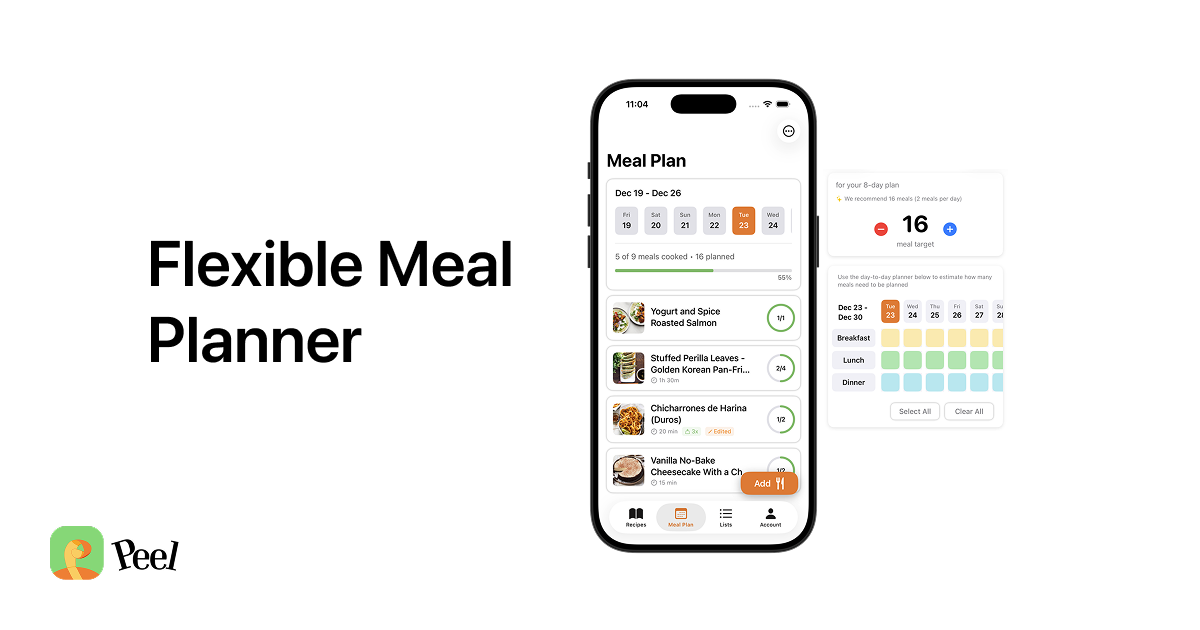
Peel starts with your recipes. Save one from a recipe website, bring in a cooking video from TikTok, Instagram, or YouTube, scan a recipe from a book, or add it yourself. Then choose the meals that sound plausible for the week. Peel combines the ingredients into a grocery list, but it does not assign chicken to Tuesday or pasta to Thursday.
That pool is the whole design. When we were building Peel, we noticed that most plans fail for ordinary reasons: someone works late, leftovers last longer, friends invite you out, or the meal selected on Sunday sounds terrible four days later. A rigid calendar treats that change as failure. A pool expects it. Our flexible meal planning guide explains the method, and the automatic grocery list workflow shows how it reaches the store.
You can also save and reuse meal plans in your Meal Library. Peel can suggest ready-to-save templates based on plans you actually make, including a usual week, a meal-prep base, or recipes you saved but never planned. The suggestion follows your history instead of replacing it with a calorie-generated menu.
Moving from Mealime or another closing planner
Mealime says it will shut down on October 21, 2026, which puts longtime users in an awkward spot. No replacement can magically carry every saved recipe and preference into a new system. Before the deadline, keep copies of the recipes you cannot lose and write down the repeat meals that make a normal week work.
Then rebuild the workflow, not every historical record. In Peel, start with five to seven meals you genuinely cook. Import website recipes directly, add social-video saves as needed, and put this week's candidates into the meal pool. Check the generated grocery list, remove pantry staples you already have, and shop once. You can expand the library over time instead of turning migration into a weekend data-entry project.
I think this is the least frustrating way to switch because it gets dinner working first. Your archive can wait. If you want a more structured reusable week, our meal plan template app comparison covers that approach.
Who should choose Eat This Much, and who should choose Peel?
Choose Eat This Much if nutrition targets drive the plan. It is designed to generate meals around calories, macros, diet rules, budget, and schedule. It also has a web app and Android support. Those are not minor extras, and Peel is not the right replacement if you depend on them.
Choose Peel if your own recipes drive the plan. It fits someone whose ideas live across recipe blogs, videos, cookbooks, and family favorites. You choose a realistic pool, Peel builds the shopping list, and dinner stays movable. No account is required to start.
There is one more honest limit: Peel has no built-in recipe-discovery library. That is intentional. We built it as the gathering place for recipes you trust, not another feed that keeps giving you more things to save. Eat This Much is stronger when you want the app to supply and optimize the meals. Peel is stronger when you want your kitchen to remain yours.
Frequently asked questions
Is there a free Eat This Much alternative for iPhone?
Yes. Peel is free to download and includes unlimited recipe storage, unlimited web imports, a flexible meal pool, and grocery-list generation. Free social-import credits refresh every week. Eat This Much also has a free account, but it generates one day at a time; weekly generation and automatic grocery lists are Premium features.
Does Peel automatically build a grocery list?
Yes. Add recipes to your meal pool and Peel combines their ingredients into a grocery list. You can filter the list by recipe and ingredient section. Eat This Much also creates grocery lists from meal plans, but its official pricing page lists that feature under Premium.
Is Peel only available on iPhone?
Peel is available on iPhone and iPad, but it has no Android or web app. Eat This Much has iPhone, Android, and web access, so it is the better choice if cross-platform access is essential.
Does Peel plan meals around macros or calorie targets?
No. Peel does not track nutrition or generate plans from calorie and macro targets. Eat This Much is built around that job and is the stronger choice for automatic nutrition-targeted planning. Peel is for people who want to choose their own recipes and keep the week flexible.
If Eat This Much automates exactly the decisions you dislike, use it. If the generated schedule is the part you keep fighting, try a meal pool instead. Add a few recipes you already love, shop from one combined list, and decide the exact dinner later.
Published September 2026. Eat This Much pricing and feature availability verified against its official pages in September 2026. Peel is available on iPhone and iPad only.