Search "best AI meal planning app iPhone" right now and you will find Ollie, CraveitAI, Yummery, Supperhero, and half a dozen others competing for the same App Store real estate. But here is what the App Store listings will not tell you: the frustration people keep describing in r/mealprep is consistent. "AI isn't quite up to the task yet and gets repetitive with meals." That is a structural problem, not a bug in any one app. This guide covers what these apps actually do, ranks the best ones honestly for the users they are built for, and explains the one case where none of them are the right answer.
Already have recipes you love from TikTok and Instagram? Peel is built for your collection. Import recipes from anywhere, plan from your own pool, and generate one grocery list. Free on iPhone.
Download Peel FreeiOS only. Real free tier after the trial — no lock-out.
What AI Meal Planning Apps Actually Do (and What They Don't)
Every app in this category works the same way underneath. You tell it your dietary preferences, how many people you are cooking for, any ingredients to avoid, and sometimes a calorie or macro target. The AI generates a weekly plan from its own recipe library. You get a grocery list. You follow the plan.
That is the complete model. What none of them do: import recipes you have already saved from TikTok, Instagram, YouTube, or food blogs you follow. Your saved recipes stay outside the app. The AI works from a closed library it controls, not from the collection you have built. For users who do not have a recipe collection and want the app to handle all the decisions, that is exactly right. For users who have spent months accumulating recipes they actually want to cook, it is the wrong product for the problem.
The broader best meal planning apps guide covers both audiences. This post stays focused on the AI-generated planning use case and who each app serves best.
| App | Best For | Free Tier | Uses Your Own Recipes | iPhone |
|---|---|---|---|---|
| Ollie for Meals | Families wanting done-for-you weekly plans | Yes (limited) | No | Yes |
| CraveitAI | Personalized nutrition + macro goals | Yes (limited) | No | Yes |
| Yummery | All-in-one AI planner + grocery sync | Yes (limited) | No | Yes |
| Supperhero | AI suggestions + manual recipe adding | Yes (limited) | Partial | Yes |
| a better meal | Simple AI suggestions, minimal setup | Yes | Partial | Yes |
| Peel | Bring-your-own-recipes + flexible pool | Yes (full workflow) | Yes (core feature) | Yes |
Ollie for Meals: Best for Families Who Want AI-Generated Weekly Plans
Ollie holds the top positions on the "AI meal planning app iPhone" SERP in 2026, and the ranking is accurate for who it is built for. After testing Ollie during our competitor research for Peel, the thing that stood out most was how much thought went into the family household use case. You set household size, dietary restrictions, and cuisine preferences once. Ollie generates a complete weekly plan with ingredient quantities scaled to your headcount. The grocery list builds automatically from the plan.
The pitch on Ollie's own site positions it as the top pick for families who want done-for-you weekly plans, and that framing is honest. The trade-off is the one every AI meal planner shares: the recipes are Ollie's, not yours. Week one feels fresh. Week six starts feeling familiar. The AI cycles through its preference-matched library, and the rotation becomes predictable faster than most users expect.
For a family with two adults, two kids, a nut allergy, and no strong preference for building a recipe collection: Ollie is the most polished option in this category.
CraveitAI: Best for Personalized Nutrition Goals
CraveitAI positions itself around nutrition targeting more specifically than any other app in this category. The interface is built around setting macro goals (protein, carbs, fat, calories) and having the AI generate meals that hit those targets. If you are tracking a cut, building muscle, or managing a specific diet protocol, CraveitAI gives you more control over the nutritional parameters than Ollie or Yummery do by default.
The limitation is the same structural one. You are eating from CraveitAI's recipe library, not your own. For users whose primary goal is hitting specific numbers, that tradeoff is reasonable: the nutrition accuracy is the point, not the recipe source. For users who care as much about cooking recipes they actually enjoy as they do about the macros, the disconnect between "what the AI suggests" and "what I actually want to cook" shows up fast.
Yummery: Best All-in-One AI Planner
Yummery covers more surface area than the other apps in this group. AI meal planning, grocery list generation, and some recipe organization features are all bundled together. If you want to consolidate your kitchen workflow into one app and are comfortable with AI-generated recipe suggestions, Yummery is the broadest option.
What Yummery does not do is connect to the social recipe saves most users already have. TikTok, Instagram, YouTube recipes stay where they are. The app works from its own content library. For users without an existing recipe collection who want one app to handle everything, that is not a problem. For anyone who has been saving recipes from social media for the past year, Yummery asks you to ignore that collection and start fresh.
Supperhero and a Better Meal: For Users Who Want AI Plus Some Recipe Flexibility
Both Supperhero and a better meal allow some manual recipe adding alongside AI suggestions, which puts them in a different category from pure AI planners. The idea: the AI generates the baseline plan, but you can swap in your own recipes where you want to. In practice, the "your own recipes" experience is limited compared to what dedicated recipe management apps offer. Adding recipes manually is possible, but importing from TikTok or Instagram is not supported.
If you want an AI planner with a small escape valve for personal recipes, these two are worth testing. If your personal recipe collection is the primary thing you want to plan from, the escape valve is too small.
The Problem AI Meal Planners Have Not Solved Yet (It Is Not the AI)
The most consistent complaint about AI meal planners from users who have tried them is not that the AI makes bad suggestions. It is that the suggestions feel detached from the recipes they actually care about. "AI isn't quite up to the task yet and gets repetitive with meals" is the way r/mealprep users put it. But the repetition problem is not purely about AI quality. It is structural.
Every app in this category runs on a closed library. Ollie's library. CraveitAI's library. Yummery's library. The AI can only suggest from what it has. And the more dietary filters you apply, the smaller the eligible pool becomes. Even with thousands of recipes in the database, the practical pool for "gluten-free, no shellfish, family of four, under 45 minutes" might be 200-300 items. The AI cycles through them. By month two, you have seen most of them.
Solving this requires either a library that grows continuously with content you personally find interesting, or a different model entirely. Neither is what current AI planners offer. For a deeper look at how AI tools compare on the planning side of this, the AI meal planning honest take covers that ground specifically.
When a "Bring Your Own Recipes" App Works Better Than AI Planning
I used ReciMe, Paprika, Osta, Recipe Book, and others before building Peel. The universal problem I kept running into was rigid day-by-day meal planning. Every app had it. And before that, I ran into the same thing the AI planners have now: the library problem. Either I was cooking from someone else's curated content, or I was assigning meals to slots before I knew what the week actually looked like.
Peel is designed to be the gathering place. The one kitchen where recipes from every source you use live together. That felt more important to get right than building our own content library from scratch. A TikTok recipe you saved six months ago. An Instagram Reel from a creator you follow. A soup from a food blog your partner bookmarked. Peel imports all of them into one library via the iOS share sheet. From there, you plan from what you already have.
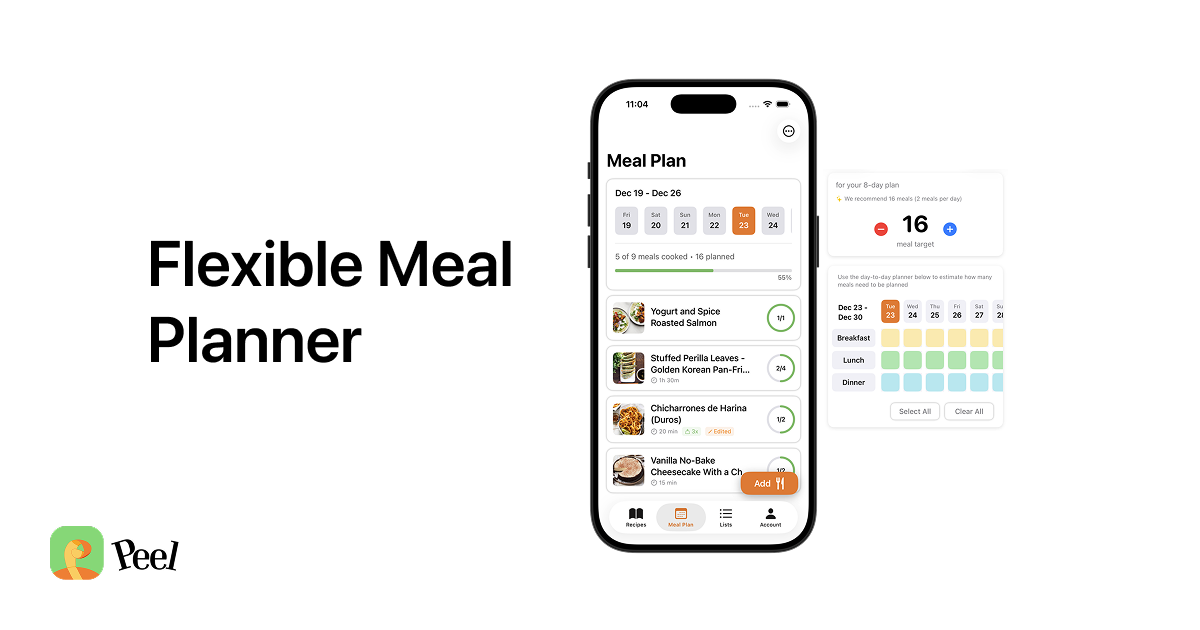
The planning model is different from every AI planner, too. I built a pool instead of a calendar. You estimate how many meals you need for the week, fill the pool with options from your own library, shop for it, and then choose what to cook the day of or the day before. No slot has to be filled. Nothing is wasted when life gets in the way. The pool flexes. A calendar does not.
Peel is not an AI meal planner. It does not generate meal plans from scratch or suggest recipes from a built-in library. What it does: takes the recipes you have already decided you want to cook, organizes them into a plan, and generates one combined grocery list with quantities merged across every recipe. If you have three recipes that all call for chicken broth, your list shows the combined amount. One shopping trip covers everything.
Web imports from any recipe website are unlimited on the free tier. TikTok, Instagram, and YouTube imports use a fixed free allowance. Once a recipe is in your library, it connects to the meal pool and grocery list the same way regardless of where it came from.
For couples sharing a kitchen, Peel Premium adds a shared partner kitchen where both people see the same meal pool and grocery list in real time. The meal planning for couples guide covers how that workflow runs.
The right question is not "which AI meal planning app is best" in isolation. It is: do you want an app to tell you what to cook, or do you already know what you want to cook and need a better way to organize and plan from it? If it is the former, Ollie is the most polished option. If it is the latter, Peel is built for that case specifically.
Frequently Asked Questions
What is the best AI meal planning app for iPhone in 2026?
What do AI meal planning apps for iPhone actually do?
Is there a free AI meal planning app for iPhone?
Why do AI meal planners get repetitive after a few weeks?
Can AI meal planning apps import recipes from TikTok or Instagram?
What is Peel and how is it different from AI meal planners?
What is Ollie for Meals and who is it for?
Already have recipes you love? Peel is built for your collection.
Import from TikTok, Instagram, YouTube, or any food blog. Add them to your meal pool, generate one grocery list, and plan from the recipes you actually want to cook. Free on iPhone. Real free tier after the trial — no lock-out.
Get Peel Free →Last updated: June 2026