Found a recipe video you love? Peel turns TikTok recipes and Instagram Reels into step-by-step recipe cards you can actually cook from.
3 min read·Updated January 2026
Supported Platforms
TikTokInstagramYouTubeFacebookPinterest
New
Import Directly from Your Social Media App
The fastest way to save recipe videos—no copy-pasting required. Just tap share and send it straight to Peel.
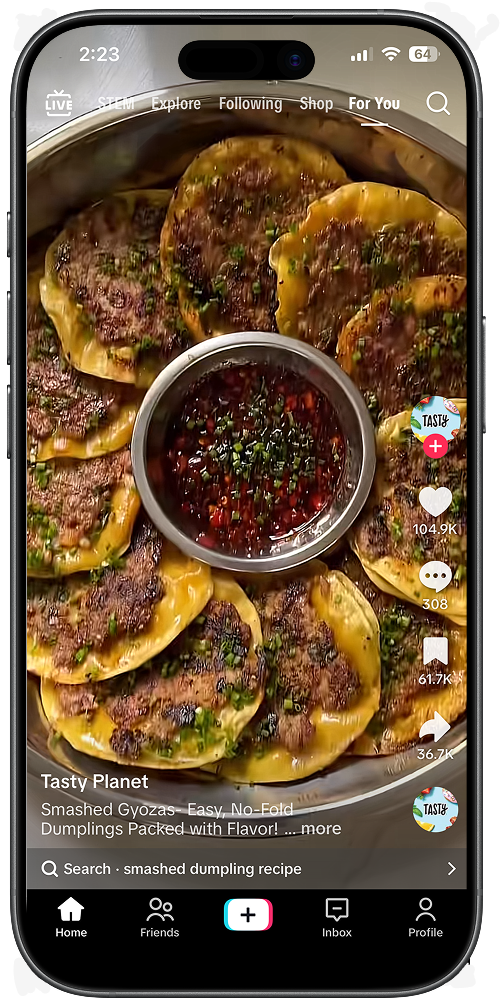
1. Find a recipe
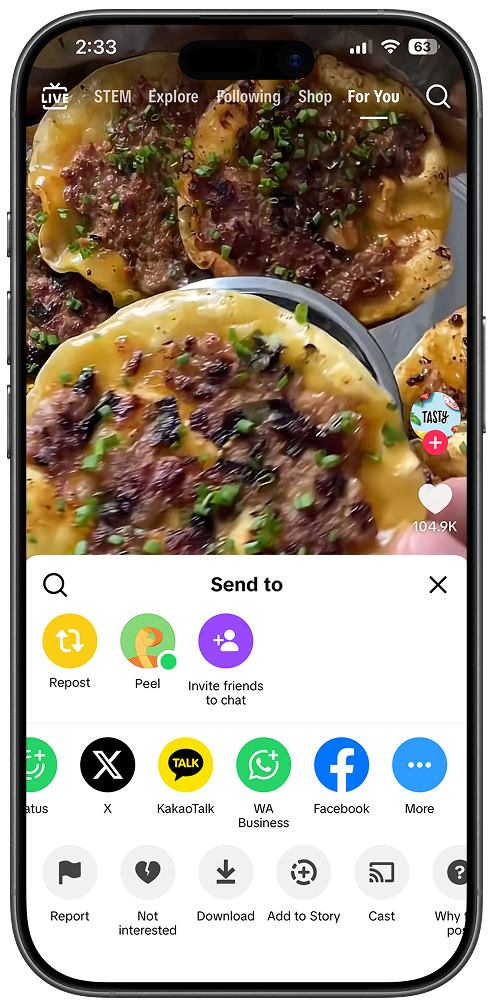
2. Tap Share
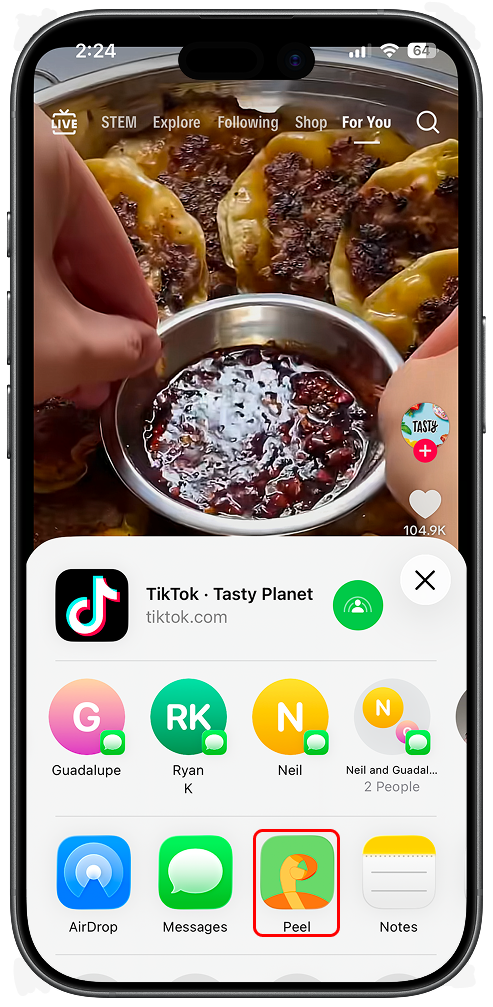
3. Select Peel
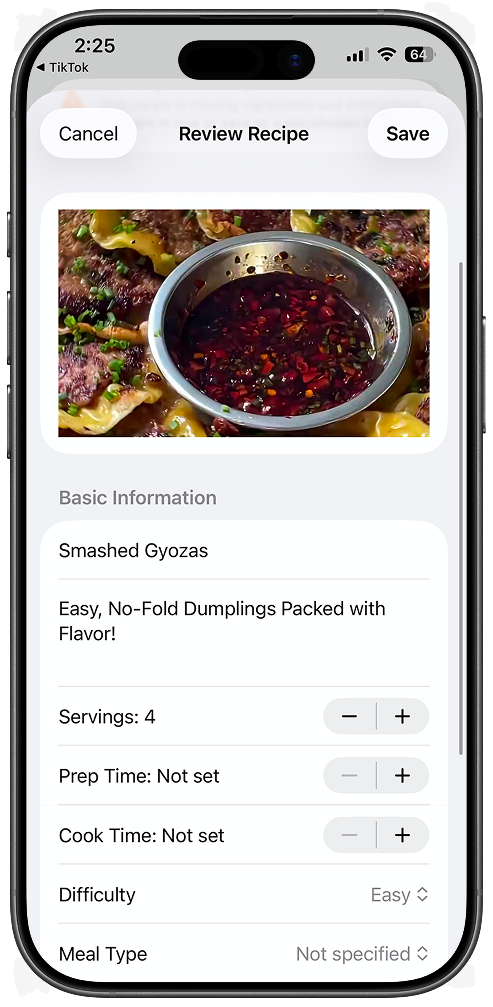
4. Recipe saved
Works with TikTok, Instagram, YouTube, Facebook, Pinterest, and more.
Free tier: You get 5 credits to try social media imports. Upgrade to Premium for unlimited.
How It Works
Social media import uses AI to analyze video content, captions, and descriptions to extract recipe information.
1
Platform Detection
Peel automatically detects which platform the video is from.
2
Content Extraction
We fetch captions, descriptions, and (for YouTube) transcripts.
3
AI Processing
Our AI reads the content and generates a structured recipe with ingredients and steps.
Tips for Best Results
Look for videos with captions
Videos with enabled captions or text overlays showing ingredients give much better results.
Check the description
Creators who list ingredients in the caption produce the most accurate imports.
Shorter videos work better
60-second TikToks have more focused recipe content than 30-minute vlogs.
Note: Peel cannot import from private accounts. The video must be publicly accessible.
Frequently Asked Questions
How do I save a recipe from TikTok?
Open the TikTok video, tap the Share button, and select Peel from the share menu. Peel's AI will automatically extract the ingredients and steps from the video. The recipe is saved to your collection instantly.
Can I save Instagram Reels recipes?
Yes! Peel works with Instagram Reels, feed posts, and Stories. Just tap Share on any Instagram post and select Peel. We'll extract the recipe from the caption, comments, or linked website.
Is there a limit on how many recipes I can save?
Free users get 5 social media imports to try the feature. Premium subscribers get unlimited social media imports, plus unlimited imports from websites and photos.
What if the recipe doesn't import correctly?
You can edit any recipe after importing. Tap the recipe to open it, then tap Edit to adjust ingredients, steps, or any other details. Videos with clear captions and ingredient lists in the description import most accurately.
Does Peel work with YouTube cooking videos?
Yes! Peel can import recipes from YouTube videos. We analyze the video description and transcript to extract the recipe. Shorter, focused recipe videos work best.