How Recipe Import Works
No matter which import method you choose, the process follows the same flow:
Choose your source
Tap the Add button on the Recipes tab and select how you want to import.
Peel processes the content
We fetch the page, analyze the video, or scan the photo.
Review and edit
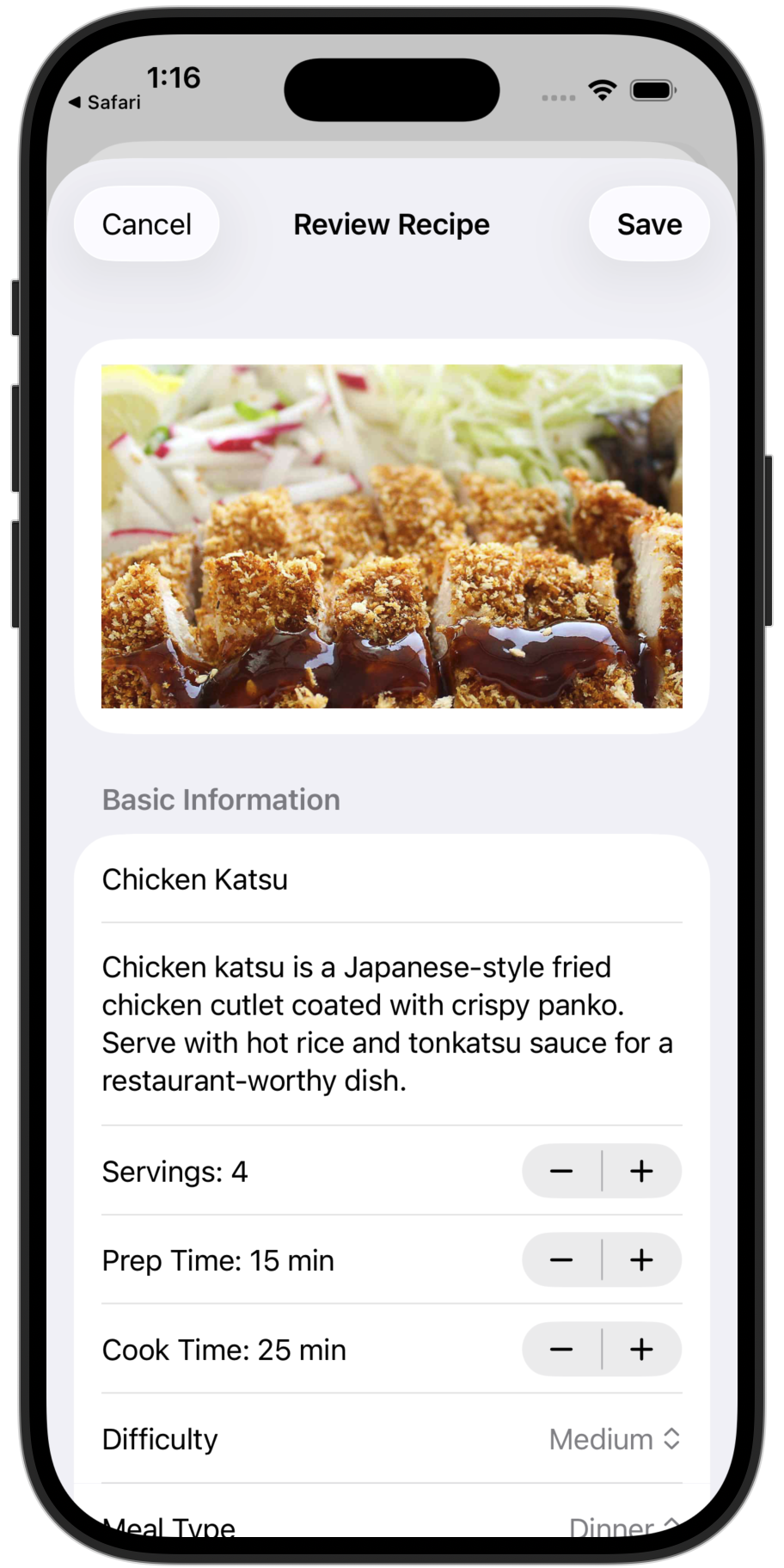
See a preview with the extracted title, ingredients, and steps. Make any edits.
Save to your kitchen
Tap Save and the recipe is added, instantly synced to all household members.
Import Directly from Your Browser or Social Media
The fastest way to save recipes—no copy-pasting required. Just tap share and send it straight to Peel.
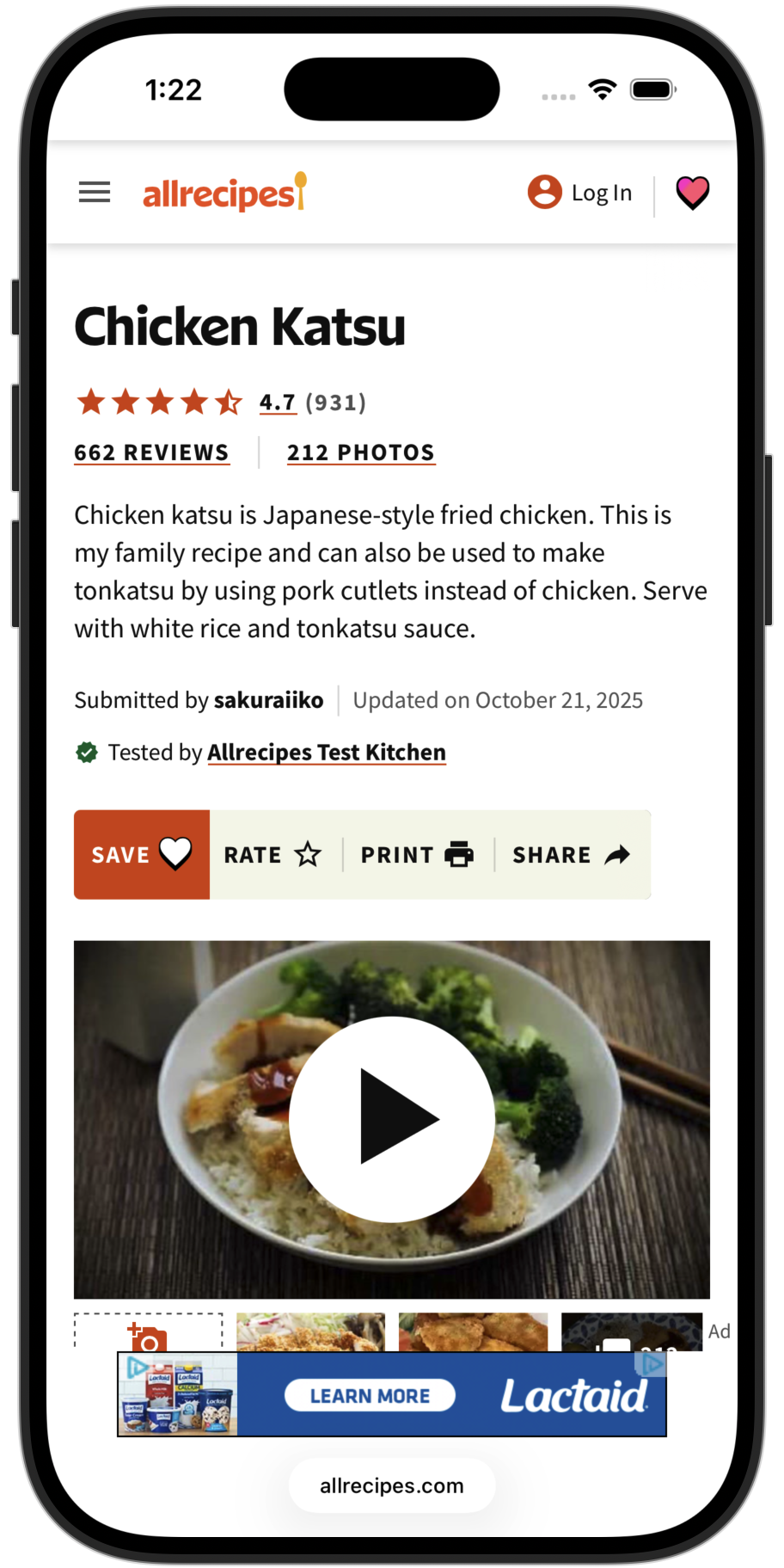
1. Find a recipe
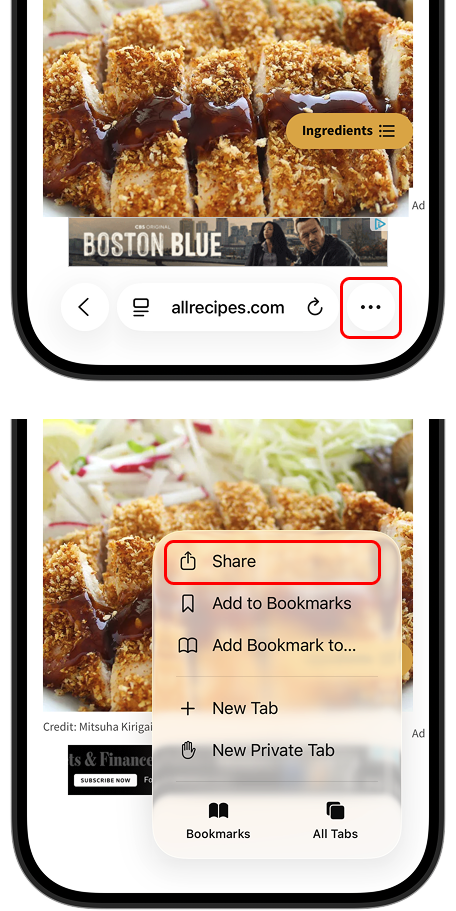
2. Tap Share
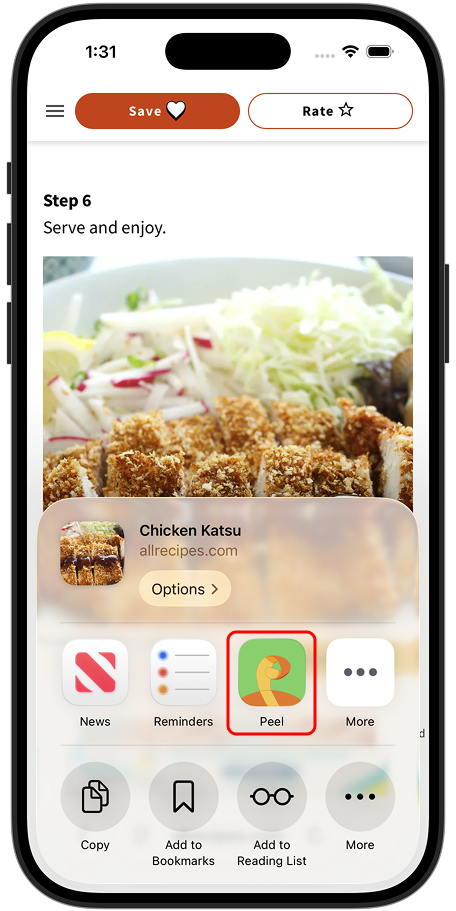
3. Select Peel
4. Recipe saved
Works with any browser (Safari, Chrome, Firefox, etc.) and social media apps like TikTok, Instagram, YouTube, Facebook, and Pinterest.
What Gets Extracted
When you import a recipe, Peel attempts to extract:
Note: Sometimes not all information can be extracted. You can save the recipe and fill in missing details manually.
Import Limits
| Method | Free | Premium |
|---|---|---|
| Website Import | Unlimited | Unlimited |
| Social Media Import | 5 credits | Unlimited |
| Photo/OCR Import | 5 credits | Unlimited |
| Manual Entry | Unlimited | Unlimited |
Free tier: You get 5 credits to try social media and photo imports. Website imports and manual entry are always unlimited. Upgrade to Premium for unlimited AI-powered imports.