How Meal Planning Works
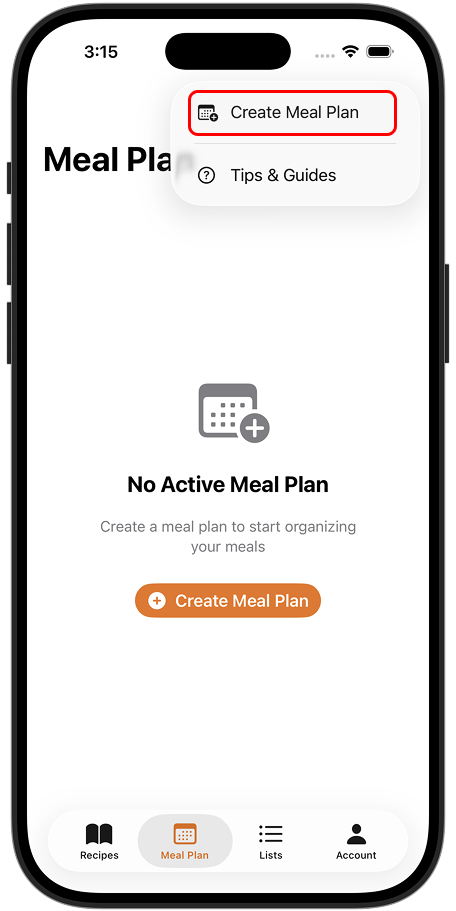
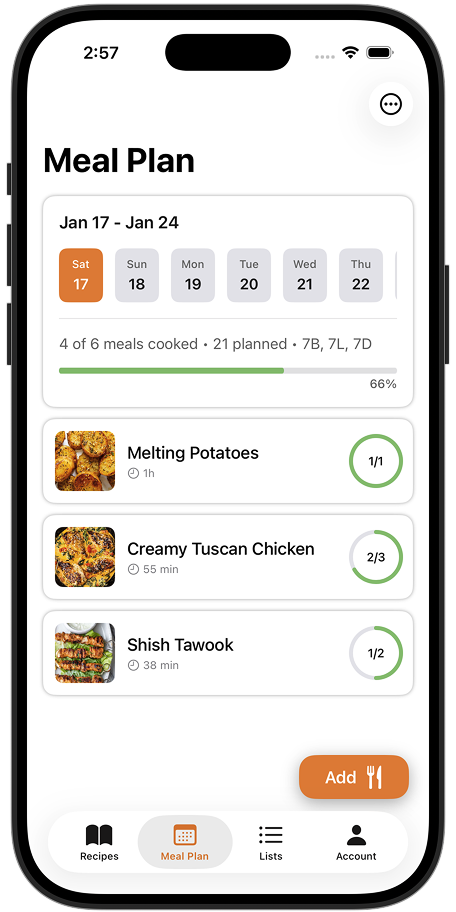
Peel's meal planning is designed to be flexible. Instead of assigning specific recipes to specific days, you create a "pool" of recipes for your chosen dates and set targets for how many meals you want to cook.
Why this approach? Real life doesn't follow a rigid schedule. You might plan to cook pasta on Tuesday but end up ordering pizza instead. Peel adapts to how you actually live.
The Recipe Pool
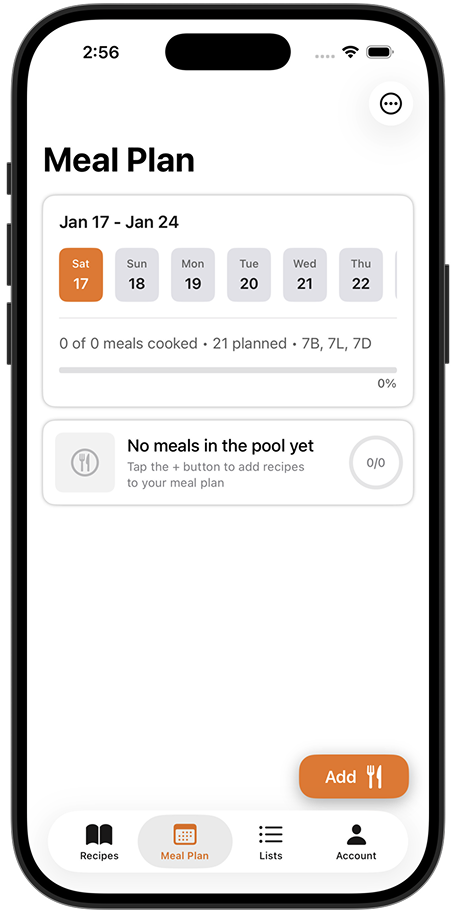
The pool is your list of recipes you're considering cooking for your meal plan. Think of it as a short-list.
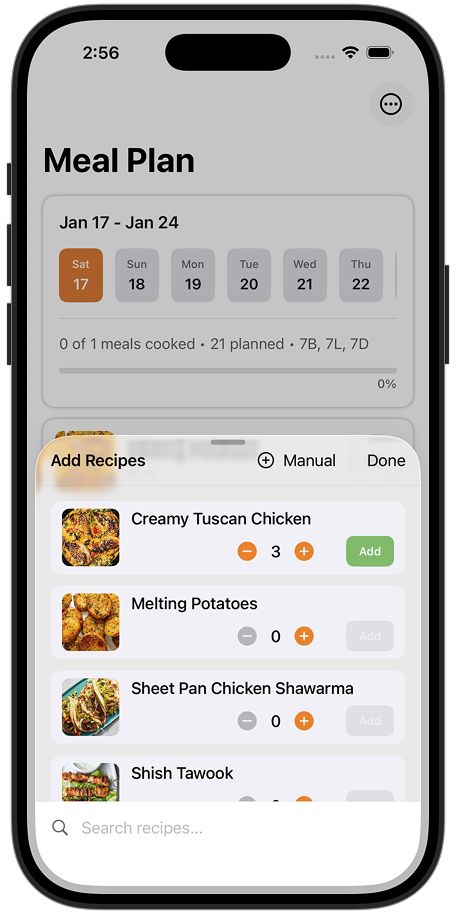
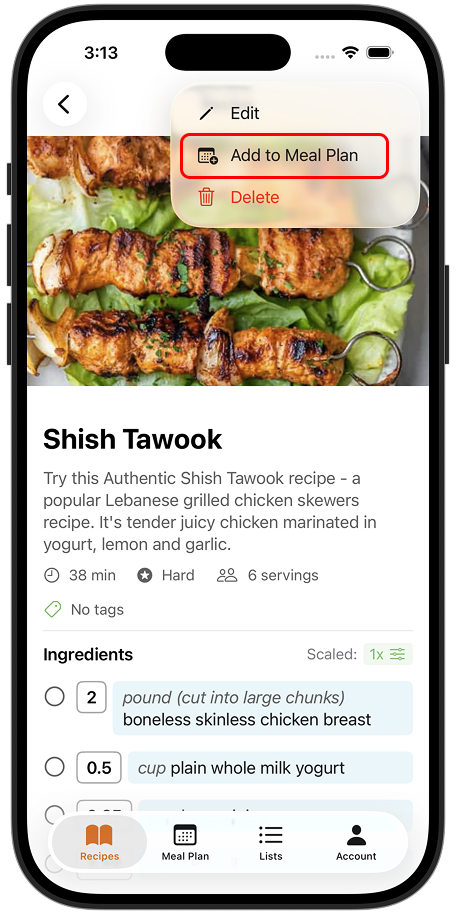
Adding recipes to the pool
Go to the Meal Plan tab and tap "Add"
Browse your recipes and tap to add them
Or add directly from a recipe detail page using the "Add to Meal Plan" button
Setting Targets
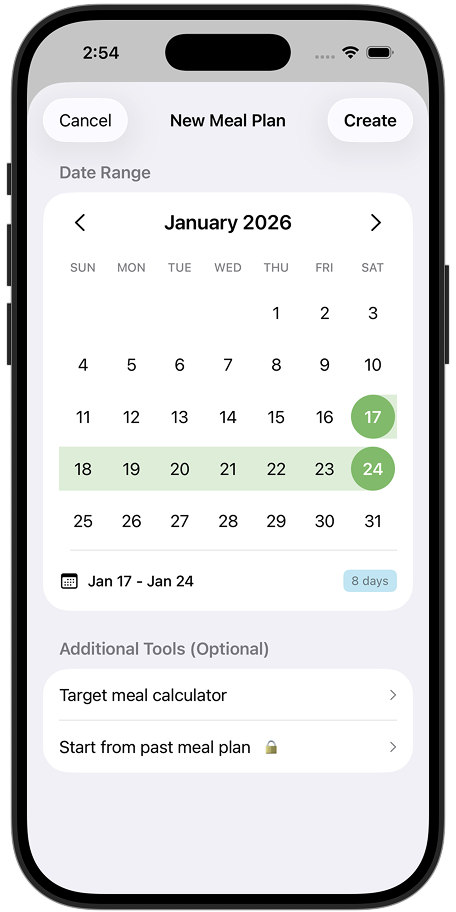
Targets help you track how many home-cooked meals you're aiming for.
The number of home-cooked meals you want to make. This is your goal—no pressure to hit it exactly!
Your progress shows as a simple fraction: "3 of 5 cooked"
It gets easier: The more you use Peel, the faster meal planning becomes. You can start a new meal plan from a past one—just tap "Start from past meal plan" to copy over your recipes and targets.
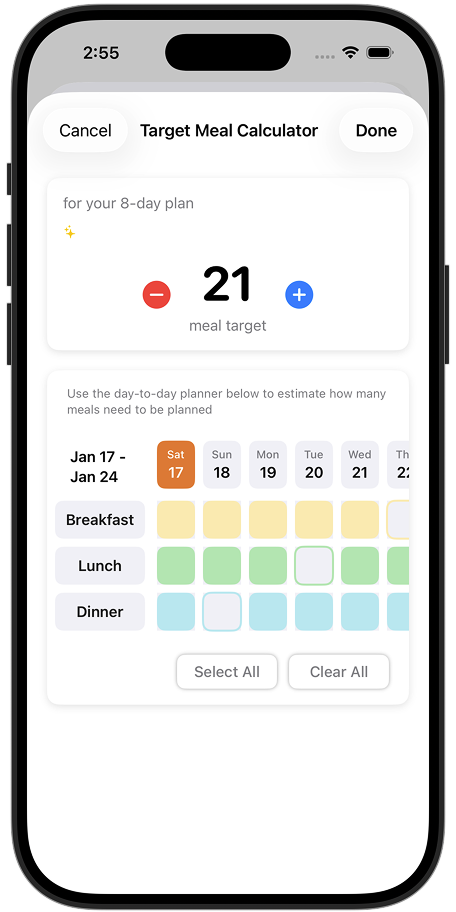
Tracking What You Cook
When you cook a recipe from your pool, tap the ring next to it to mark it as done. Your progress updates automatically.
No rigid schedules: You don't have to plan exactly what you'll eat each day. Decide the night before or the day of based on your mood—your pool has options ready to go.
Grocery List Integration
Once you have recipes in your pool, you can sync ingredients to your grocery list in two ways:
Individual recipes
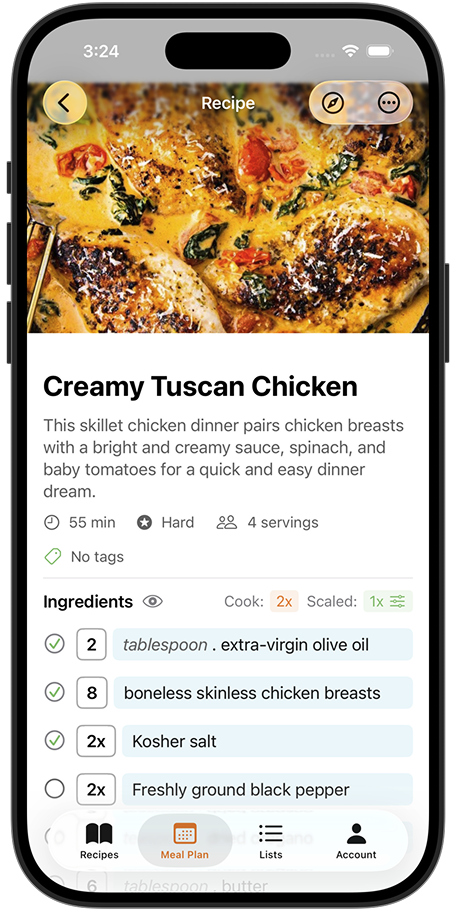
Tap a recipe in your pool to view its details, then select which ingredients to add to your grocery list.
All at once
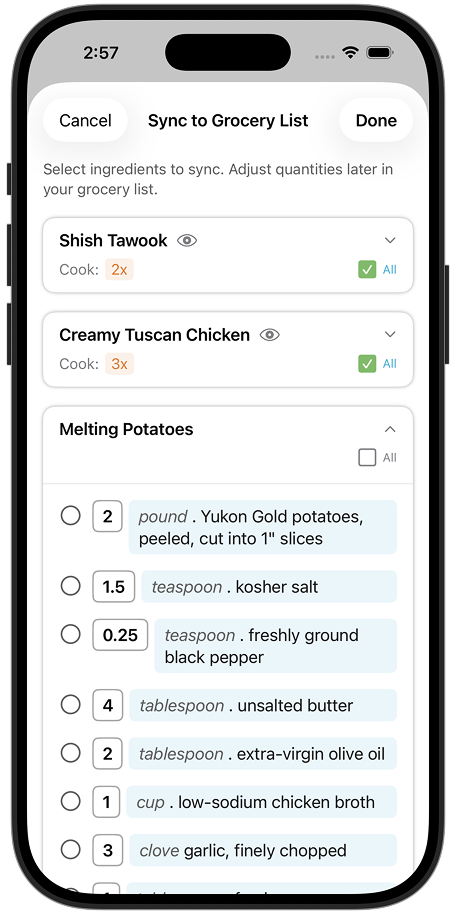
Tap "Sync to Grocery List" to see ingredients from all your pool recipes combined. Select what you need and sync everything in one go.
Shared Kitchens: In a Shared Kitchen, the grocery list syncs to everyone's phone. Check items off as you shop!