Notion meal planner templates are everywhere. Search "meal planning Notion" and you'll find hundreds of them, from free community templates to $15 premium setups with databases, grocery rollups, and color-coded tags. They look great in screenshots.
And honestly? For some people, they work fine.
But if you've spent more time tweaking your Notion template than actually cooking from it, you're not alone. There's a point where the tool you're using for meal planning becomes the project itself, and the actual cooking never happens.
Our guide to the best meal planning apps compares the dedicated alternatives if you already know a template is not enough.
Here's when a dedicated meal planning app is worth switching to, and when Notion is genuinely good enough.
What Notion does well for meal planning
I'm not here to trash Notion. It's a good tool, and some people make it work for meal planning. Give credit where it's due:
- Full customization. You can build exactly the system you want. Databases, rollups, linked views, calendar embeds. If you can imagine it, you can probably build it.
- Everything in one place. If your entire life already lives in Notion (work, personal, habit tracking), having meal planning there too means one fewer app.
- Free for personal use. Most Notion meal planner templates are free or cheap, and Notion's personal plan doesn't cost anything.
If you're a Notion power user who genuinely enjoys setting up databases, a meal planner template can work. The question is whether it works well enough for the specific job of planning meals.
Where Notion meal planners fall apart
I've seen this pattern play out dozens of times on Reddit and in meal planning communities: someone builds (or downloads) a beautiful Notion meal planner, uses it enthusiastically for two weeks, and then quietly stops. The template becomes a graveyard of good intentions.
Here's why.
You have to type in every recipe manually
This is the biggest one. Notion has no way to import a recipe from a URL, a TikTok video, or an Instagram Reel. Every recipe in your Notion meal planner got there because you sat down and typed in the title, ingredients, quantities, and steps by hand.
That works for your first 10 recipes. By recipe 30, you stop adding new ones. Your "recipe database" becomes the same 12 meals on rotation, which is exactly the dinner rut you were trying to escape.
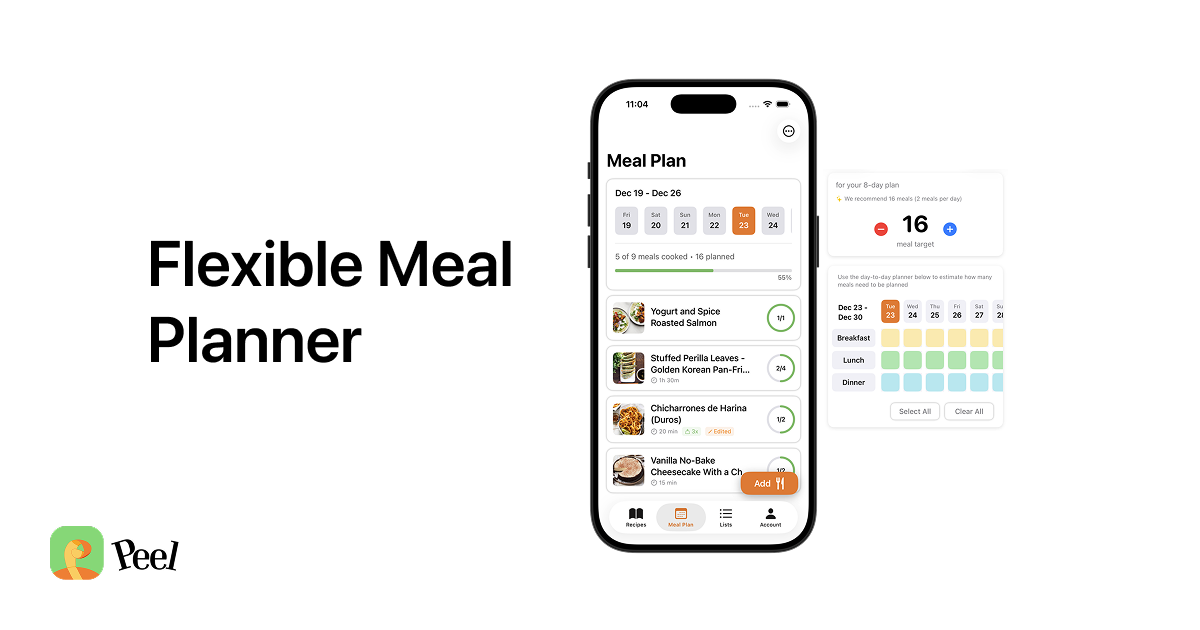
A dedicated app like Peel can import a recipe from TikTok, Instagram, YouTube, or any recipe website in seconds. You share the link, and the app extracts ingredients and steps automatically. That difference in friction determines whether your recipe collection grows or stagnates.
No grocery list generation
Some Notion templates claim to have grocery lists, but they're manual. You look at your meal plan, figure out what ingredients you need, and type them into a separate database or checklist. There's no automatic "add all ingredients from these 4 recipes to my shopping list" button.
A meal planning app generates your grocery list from the recipes you've selected. It combines duplicate ingredients (two recipes call for onions? You see "onions" once, with the right quantity). It checks off items as you shop. It syncs with your partner's phone.
In Notion, your partner needs their own Notion account, and you need to share the page. It works, but it's clunky compared to a shared list that updates in real time on both phones while you're walking through the store.
The mobile experience is rough
Here's the thing about meal planning: the planning might happen on your laptop, but the cooking happens in your kitchen. You need to read your recipe on your phone, probably with wet hands.
Notion's mobile app is fine for reading notes, but navigating a multi-database meal planner on a phone screen is not a great experience. Finding tonight's recipe means tapping through pages, scrolling past properties you don't need, and hoping the linked recipe page loads without lag.
A purpose-built app puts tonight's recipe one tap away. Ingredients are formatted as a checklist. Steps are numbered and large enough to read from across the counter. It's a small difference until you're actually standing in the kitchen at 6:30 PM.
No recipe discovery from where you actually find recipes
Think about where you find recipes. TikTok while scrolling before bed. Instagram Reels during lunch. A YouTube video someone texted you. A recipe website your coworker shared.
In every case, your workflow with Notion is: see recipe, screenshot it or copy the URL, promise yourself you'll add it to Notion later, never add it to Notion. Sound familiar?
With a recipe app, you share the link directly from TikTok or Instagram and it's in your collection in seconds. The recipe goes from "that thing I saw on my phone" to "something I can actually cook this week." That bridge between finding and saving is the whole ballgame.
When Notion is good enough
Notion works for meal planning if:
- You cook the same 15-20 recipes regularly and don't need to import new ones often
- You enjoy the setup process as much as the cooking
- You already have a system that works and recipes are typed in
- You don't need a shared grocery list
- You prefer having everything in one app over having specialized apps
There's nothing wrong with any of that. If your Notion meal planner is working, keep using it.
When it's time to switch to an app
You've probably outgrown Notion for meal planning if:
- You save recipes on TikTok and Instagram but never actually cook them because transferring them to Notion is too tedious
- Your recipe database hasn't grown in months
- You stopped using the grocery list feature because it's too manual
- You cook with a partner and sharing the plan is awkward
- You spend more time maintaining the template than planning meals
- You've rebuilt your meal planner template more than twice
The core issue is always the same: Notion is a general-purpose tool being asked to do a specific job. It can do that job, but it fights you on the parts that matter most for cooking: recipe import, grocery lists, and mobile experience.
What a dedicated app actually gives you
The real value of switching from a Notion template to a meal planning app isn't any single feature. It's that the app removes the busywork between "I found a recipe" and "I cooked it."
With an app like Peel:
- Save a recipe from any platform in seconds (no manual entry)
- Add it to your weekly meal pool with one tap
- Generate a grocery list from your selected recipes automatically
- Share everything with a partner who sees the same plan and list
- Open tonight's recipe in a clean, readable format on your phone
None of those steps require you to configure a database, link a rollup property, or debug a Notion formula.
The honest answer
Notion is a great tool for lots of things. Meal planning is not one of its strengths, because the specific requirements of meal planning (fast recipe capture, automatic grocery lists, good mobile UX for cooking) are things Notion wasn't built to do.
If you're currently using a Notion meal planner and it's working, don't switch just because an app exists. But if you've tried Notion and found yourself slowly abandoning it, the problem isn't your discipline. The problem is the tool.
Peel has a free tier with recipe import and meal planning, and your recipes are never locked out. If you've been collecting recipes in screenshots and bookmarks that never become real dinners, it might be worth trying a tool that was built for this one job.
Last updated: March 2026