"I hate that I have to manually add everything to my grocery list after I figure out what I'm cooking. Why can't the app just know?" That frustration shows up in App Store reviews, in r/mealprep threads, in feedback from Peel users who tried three other apps first. It is not a niche complaint. It is the structural gap between standalone grocery list apps and apps built specifically around meal planning. The best grocery list app for someone who only needs a list is a different tool than the best one for someone who already meal plans. This guide explains the distinction and tells you which app to download based on how you actually shop.
If you meal plan and want your grocery list to write itself: Peel's grocery list auto-generates from your meal pool, deduplicated and organized by category. Free on iPhone. Start with a trial; cancel and keep the free tier.
Download Peel FreeiOS only. Real free tier after the trial — no lock-out.
The Key Difference: Standalone Grocery List vs. Auto-Generated From Your Meal Plan
A standalone grocery list app (AnyList, OurGroceries, Apple Reminders) is a well-designed digital notebook. You type what you need. It saves it. It syncs across devices. If you share a list with a partner, updates appear in real time. These are genuinely useful tools.
The problem: they have no idea what you are cooking. That connection does not exist. So after you figure out what you want to make this week, you still have to open each recipe, read through the ingredient list, and manually add each item to a separate app. For five recipes, that process takes 15 to 20 minutes. Every week. If two recipes both need garlic or canned tomatoes, you have to calculate the combined amount yourself.
A meal-planning-connected grocery list app works differently. The recipes come first. The list writes itself from the recipes. Ingredients that appear across multiple dishes are merged automatically. You review, check off what you already have, and you are done. No transcription step.
For people who do not meal plan, AnyList is excellent. For people who do, the two-app workflow is the problem. This is the distinction no grocery list app review currently explains clearly, and it is the entire reason this post exists. The full meal planning app comparison covers the broader landscape if you are still deciding on an approach.
| App | Best For | Auto-Generates From Meal Plan | Deduplicates Ingredients | Free |
|---|---|---|---|---|
| AnyList | Standalone list management, shared household lists | No | No | Yes (full list features) |
| Peel | Meal planners who want the list to come from their plan | Yes | Yes | Yes (full workflow) |
| OurGroceries | Shared household lists, real-time sync | No | No | Yes (free / $4.99/yr) |
| Apple Reminders | Basic lists, already on your iPhone | No | No | Yes (built-in) |
AnyList: Best Standalone Grocery List App for iPhone in 2026 (Free)
After testing every major grocery list app on iPhone during research for Peel, AnyList is the honest winner for standalone list management. The interface is clean. Autocomplete for common grocery items (milk, eggs, chicken breast) is fast and accurate. You can organize items by aisle or category, share a list with anyone via a simple link, and sync across multiple devices without creating an account first.
AnyList Complete (the paid upgrade) adds recipe storage and a basic meal planning layer. Honest assessment: the grocery list is excellent, the meal planning is weak. When we were building Peel, we paid close attention to how AnyList handled the transition from recipes to shopping, and it still requires you to manually add recipe ingredients to the list. The connection exists on paper, but the experience is friction-filled. AnyList's own design clearly prioritizes the list itself, not the recipe-to-list workflow.
For users who just need a reliable grocery list app on iPhone, AnyList is the right pick. Download it free. Use it.
For users who meal plan, the rest of this post is the relevant section.
Peel: Best If Your Grocery List Should Come From Your Meal Plan (Free)
The feedback we kept hearing from Peel users who switched from AnyList was consistent: "I loved AnyList for the list, but I was still doing the work of connecting it to my meal plan myself." That is the exact gap Peel is built around.
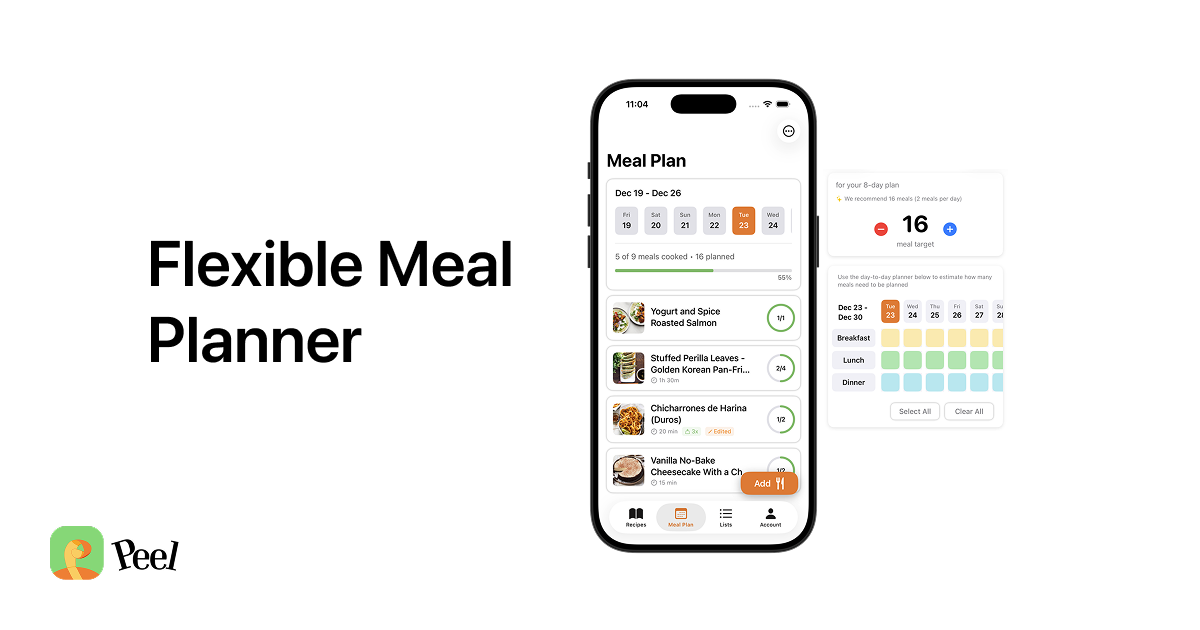
Here is how it works. You save recipes to your Peel library from wherever you find them: websites, food blogs, TikTok, Instagram, YouTube. Unlimited web imports are free. When you are planning the week, you add recipes to your meal pool. The pool is intentionally not a rigid day-by-day calendar. You pick how many meals you want to cover, fill the pool with options, and decide what to cook on the day itself. Nothing is locked to a slot. When a random event comes up Thursday or you go out unexpectedly Saturday, nothing falls apart.
Once your recipes are in the pool, you tap to generate the grocery list. Peel reads every ingredient from every recipe in the pool, deduplicates across all of them, and organizes the results by category. Three recipes that call for chicken broth show one combined quantity. Ingredients are grouped into sections so your list matches the way a grocery store is laid out. No manual entry. No cross-referencing. One tap.
The principle behind making this free is straightforward. Web recipe imports cost almost nothing to process, so offering them free made sense from day one. The grocery list generation is the payoff for the import and planning steps, and gating it behind a subscription would break the core workflow. So it is free on the free tier — your recipes are never locked out.
One honest limit: TikTok, Instagram, and YouTube imports use weekly-refreshing credits on the free tier. Premium is unlimited. Web recipe imports from any food blog or recipe website are unlimited for free, no cap. Once a recipe is in your library regardless of where it came from, it connects to the meal pool and grocery list the same way.
If you share a kitchen with a partner, Peel Premium adds a shared live kitchen where both people see the same recipes, meal pool, and grocery list in real time. That is separate from the free grocery list generation, which works for single users out of the box.
OurGroceries: Best for Shared Household Lists Without Meal Planning (Free / $4.99/yr)
OurGroceries solves a specific problem: multiple people adding to one grocery list in real time. You create a list, share it with your household, and when your partner adds olive oil on their phone it appears instantly on yours. No account required to join a shared list. The sync is reliable and fast.
It does not do anything with recipes. No import, no meal plan connection, no ingredient deduplication. The $4.99/year paid tier removes ads but does not add meal planning features. OurGroceries is the right pick if shared list sync is the primary need and meal planning is not part of the workflow.
If you want shared lists with meal planning, Peel's partner kitchen covers both: Premium subscribers share a live kitchen including the meal pool and the grocery list, so both partners see the full picture.
Apple Reminders: Honest Assessment
Reminders is already on your iPhone and it works for grocery lists in the same way a notes app works for grocery lists. Fine. Not great. No grocery-specific features like autocomplete for items or aisle organization. No integration with recipes or meal planning. If you have zero appetite for downloading another app and your shopping workflow is simple, Reminders will do the job. For anything more structured, one of the dedicated apps above is worth the two minutes to install.
Which App Should You Download? A Decision Guide by Use Case
The right tool depends on one question: does your grocery list come from a meal plan, or do you build it from scratch each week?
You only need a grocery list, no meal planning: Download AnyList. Free, clean, best-in-class for this specific job. If household sharing is the priority and you want something even simpler, OurGroceries is a solid alternative.
You meal plan and want the grocery list to come from your plan automatically: Download Peel. Import your recipes, build your meal pool for the week, and generate the list. The entire workflow is free, and your recipes are never locked out.
You are evaluating AnyList Complete for meal planning: Test it. The grocery list is excellent. If you find that the connection between your recipes and your list still requires too much manual work, that is the gap Peel fills. We built Peel because that gap exists in every grocery-list-first app, including AnyList at the paid tier.
You are brand new to meal planning and not sure where to start: The free meal planning app guide covers the full landscape including how each app handles grocery lists, which is a useful comparison if you are still deciding on a planning approach before committing to any one tool.
One thing I built Peel around specifically: the rigid calendar problem. I used to plan meals Monday through Sunday, feel good about it, and then a random event would come up Thursday night. Or we would skip Tuesday lunch. Or go out unexpectedly Saturday. The plan would fall apart, and it did not just feel inconvenient. It felt like failure. Like I had let the week down. So I built a pool instead. You estimate how many meals you need for the week, fill the pool with options, shop for it, and then choose what to cook the day of or the day before. No slot has to be filled. Nothing is wasted when life gets in the way. The grocery list generates from the pool, not from a locked schedule.
Frequently Asked Questions
What is the best grocery list app for iPhone in 2026?
Does Peel have a grocery list feature?
Is AnyList free?
Can a grocery list app auto-generate from a meal plan?
What is OurGroceries and who is it for?
Does Peel work without a subscription?
Why does manually building a grocery list from a meal plan take so long?
Your meal plan should write your grocery list. Not the other way around.
Add recipes to your meal pool, tap generate, and Peel builds your grocery list automatically. Deduplicated ingredients, organized by category, shareable with your household. Free on iPhone. Start with a trial; cancel and keep the free tier.
Get Peel Free →Last updated: June 2026